 Incentiwise
recognition.
Incentiwise is a recognition and rewards platform. A thank-you becomes a badge, the badge carries points, and points become rewards.
spends real money.

A row from the admin ledger. Every recognition, disbursal and return lands here.
a thank-you.
a transaction.
product yet.
Colleagues award each other points, badges or rewards. Every badge carries points; points are backed by a funded pool and redeemable for real rewards.
Nothing to redesign. No flows, no model, no screens. The job was to work out what the product had to be.
became a screen.
The hard part wasn't designing screens. It was deciding what the product had to be.
One pool of money.
Each role does something different with the same money. That decides what each one sees.
Funds the vault, sets each department's quarterly allowance, approves extra, owns badges and rules.
 + ₹
+ ₹Splits the department's allowance across teams, reviews team requests, edits teams, forwards to the admin.
+ ₹Holds a quarterly allowance, recognises the team, asks for more when it runs low.
onlyCollects recognition and badges, holds points, redeems rewards.
onlyFiltered by role.
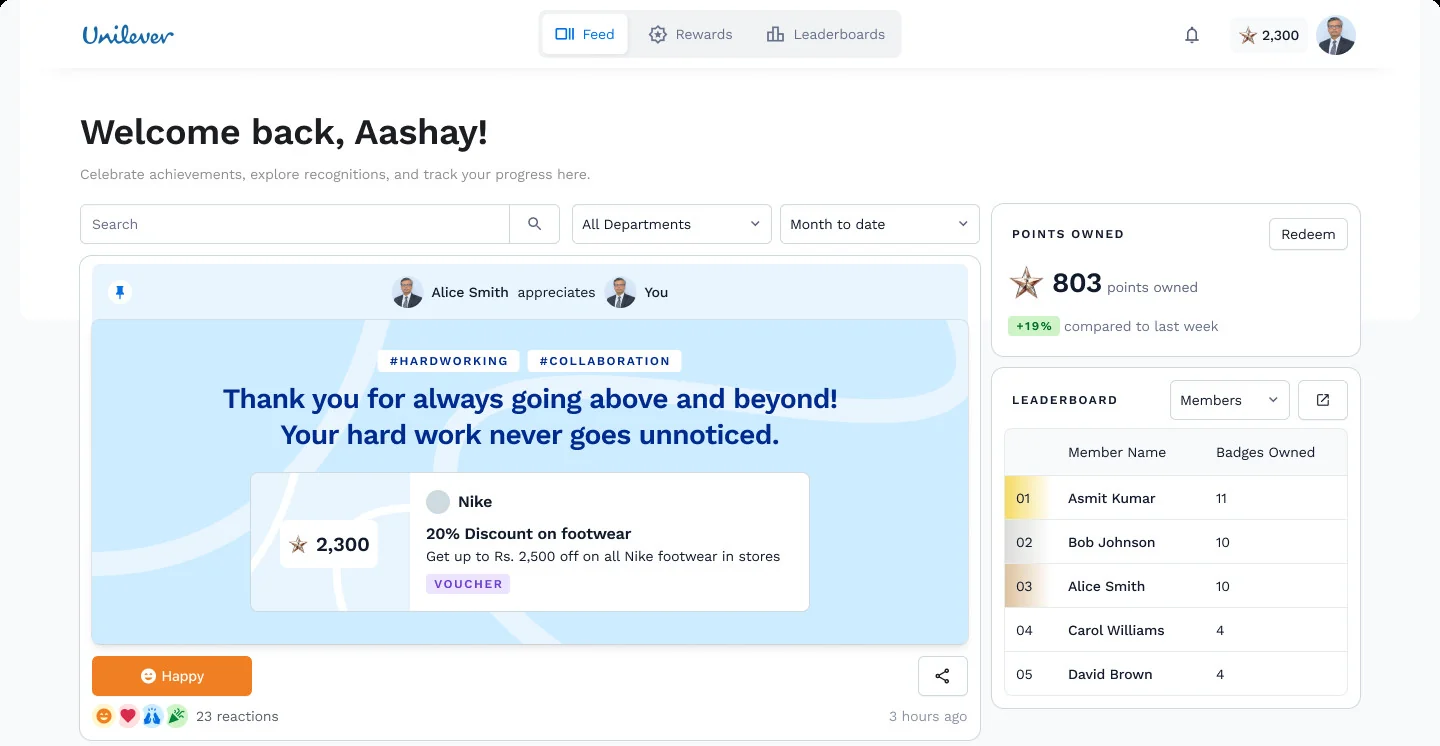
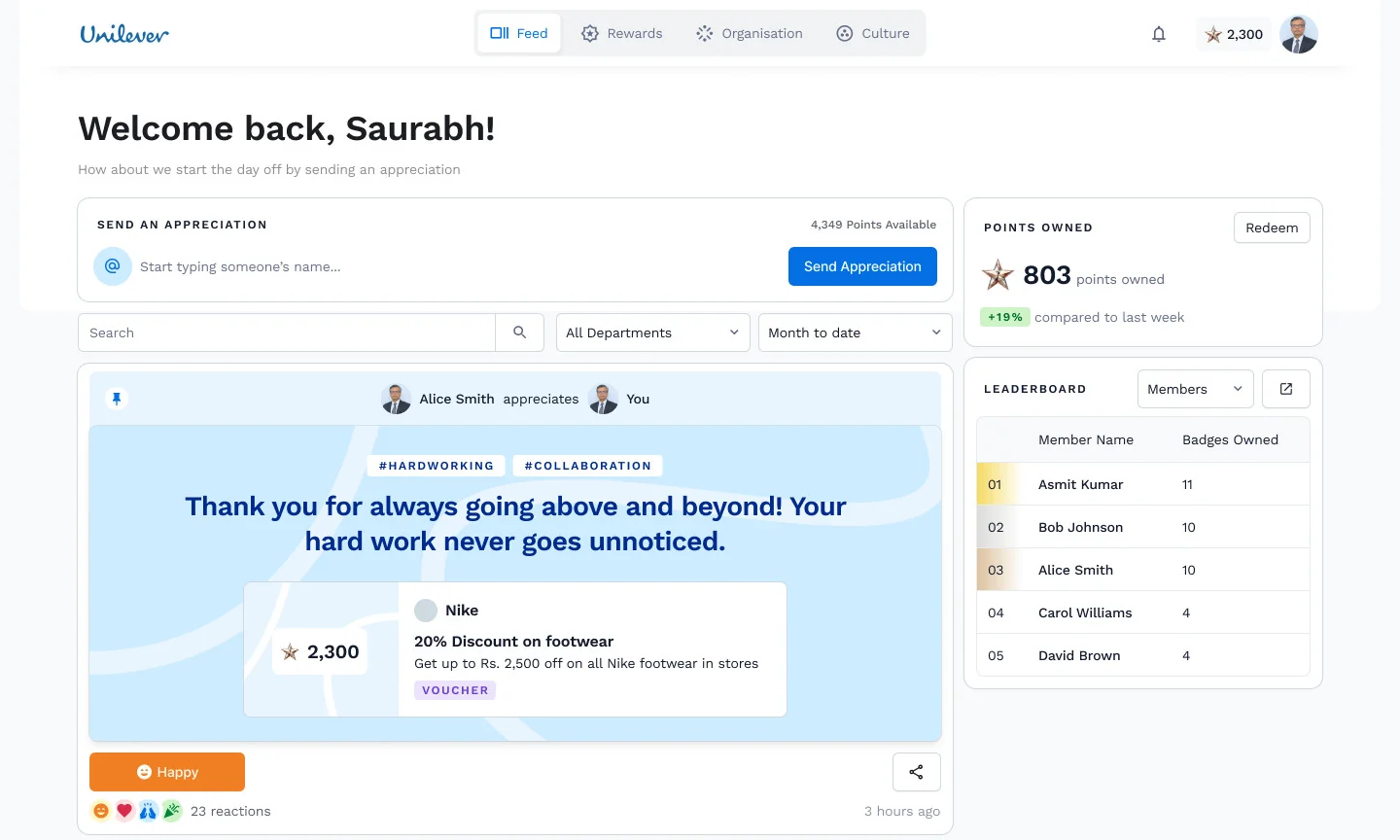
Blue outline: the only three tabs an employee ever sees. Two of the five top-level sections don't exist for them.
Different product.
Navigation
Feed · Rewards · Leaderboards, against Feed · Rewards · Organisation · Culture.
The send box
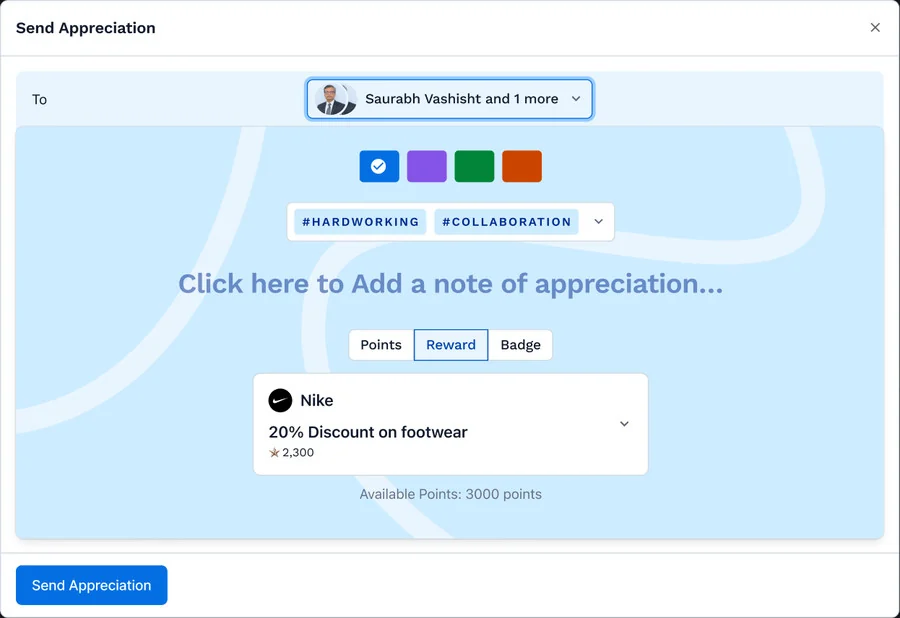
Leads and admins get “Send an appreciation” with their points available. The employee gets nothing there.
Notice what's missing from the employee's feed. We'll come back to it.
one currency.
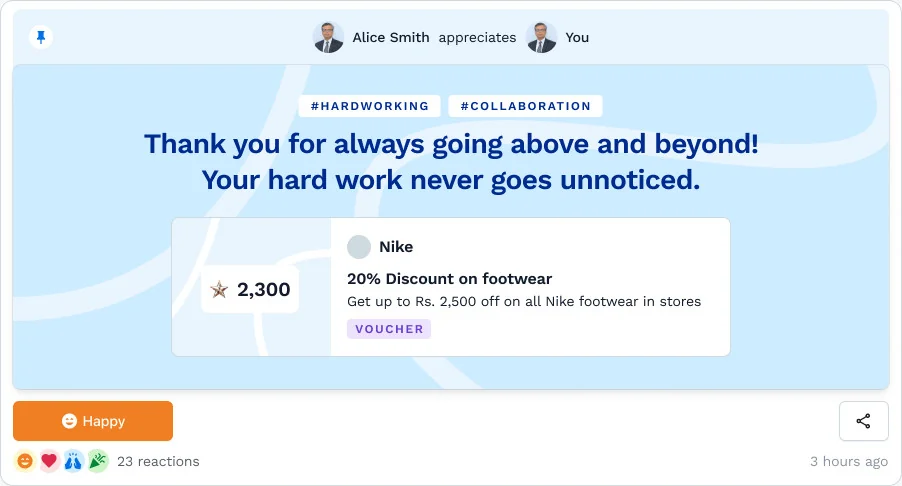
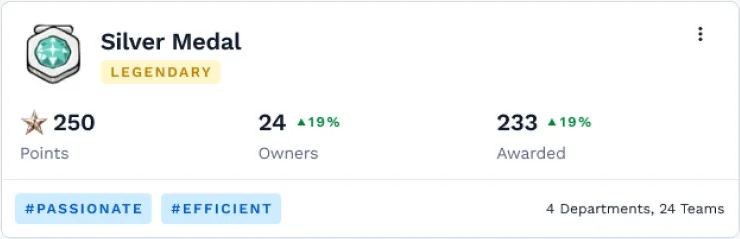
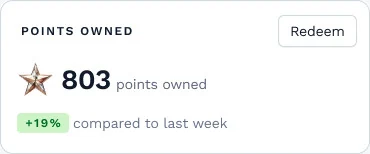
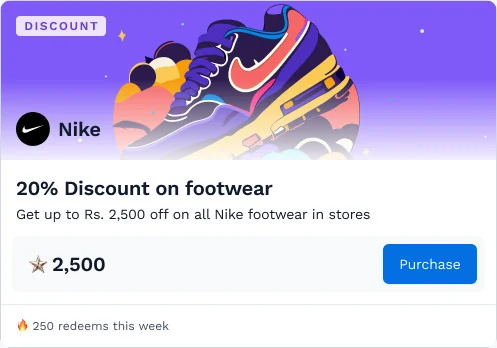
A badge, a reward or plain points all resolve to the same unit. That single unit is what lets everything else be counted.
moves backstage.
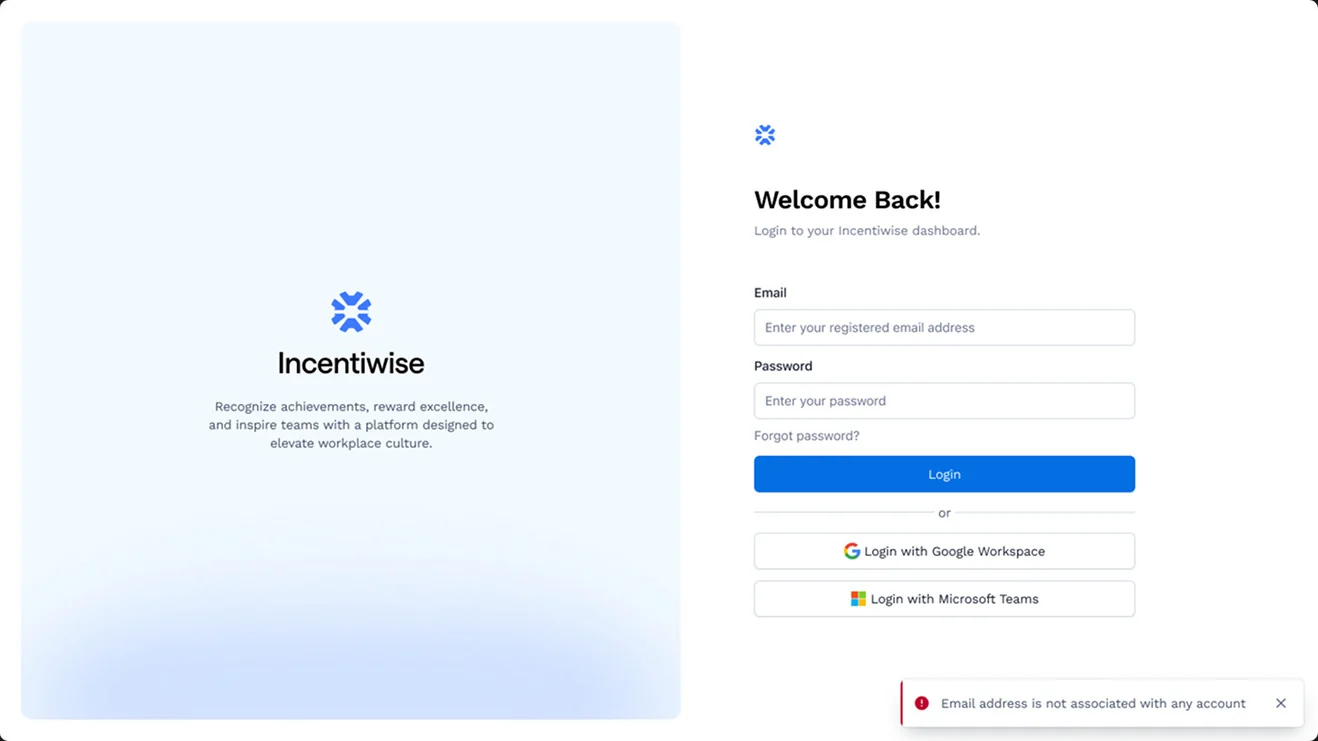
Email, Google Workspace or Microsoft. Nobody picks a role at login; the system already knows who you are.
as a spreadsheet.
HR already has it. The product’s job is to map it, check it, and flag conflicts, with a person to fall back on.
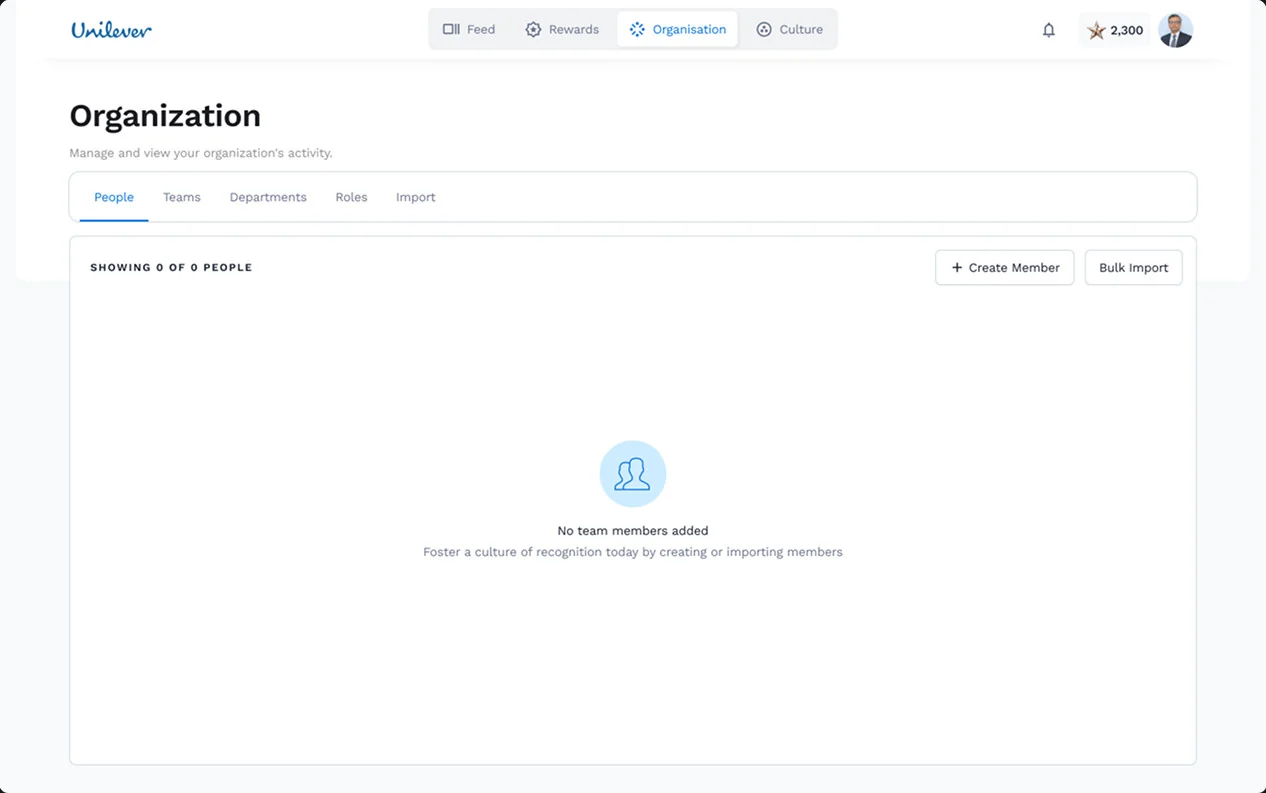
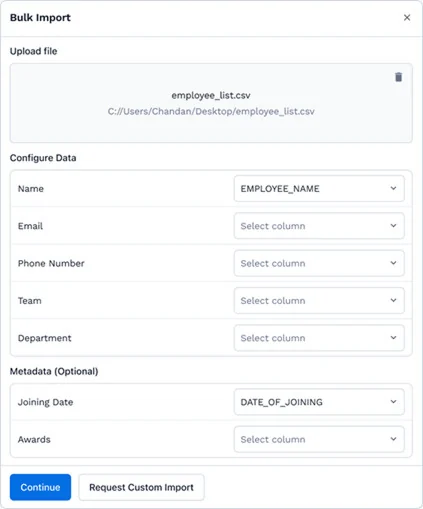
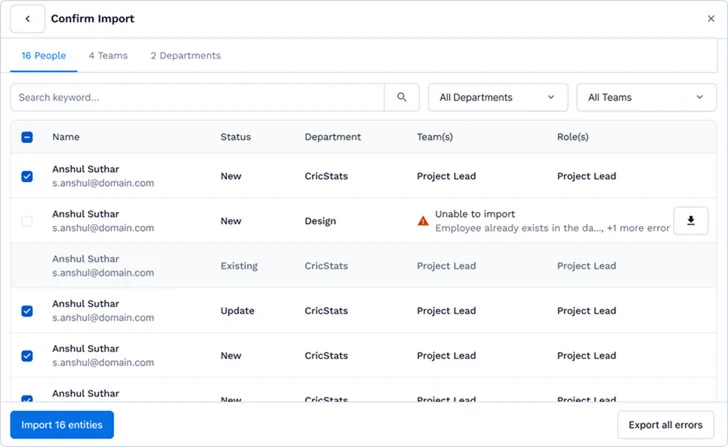
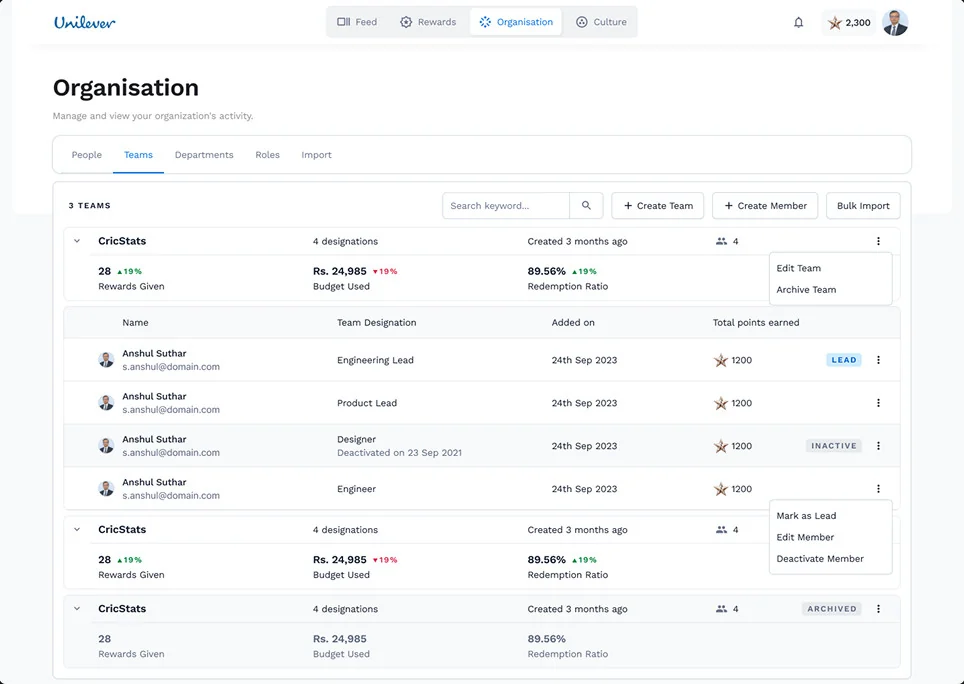
Every row gets a status
New, existing, update, or “unable to import: employee already exists”. Errors export as a file.
A human fallback
If the sheet doesn’t match the format, request a custom import and the team does it within two business days.
Keep the thank-you warm.
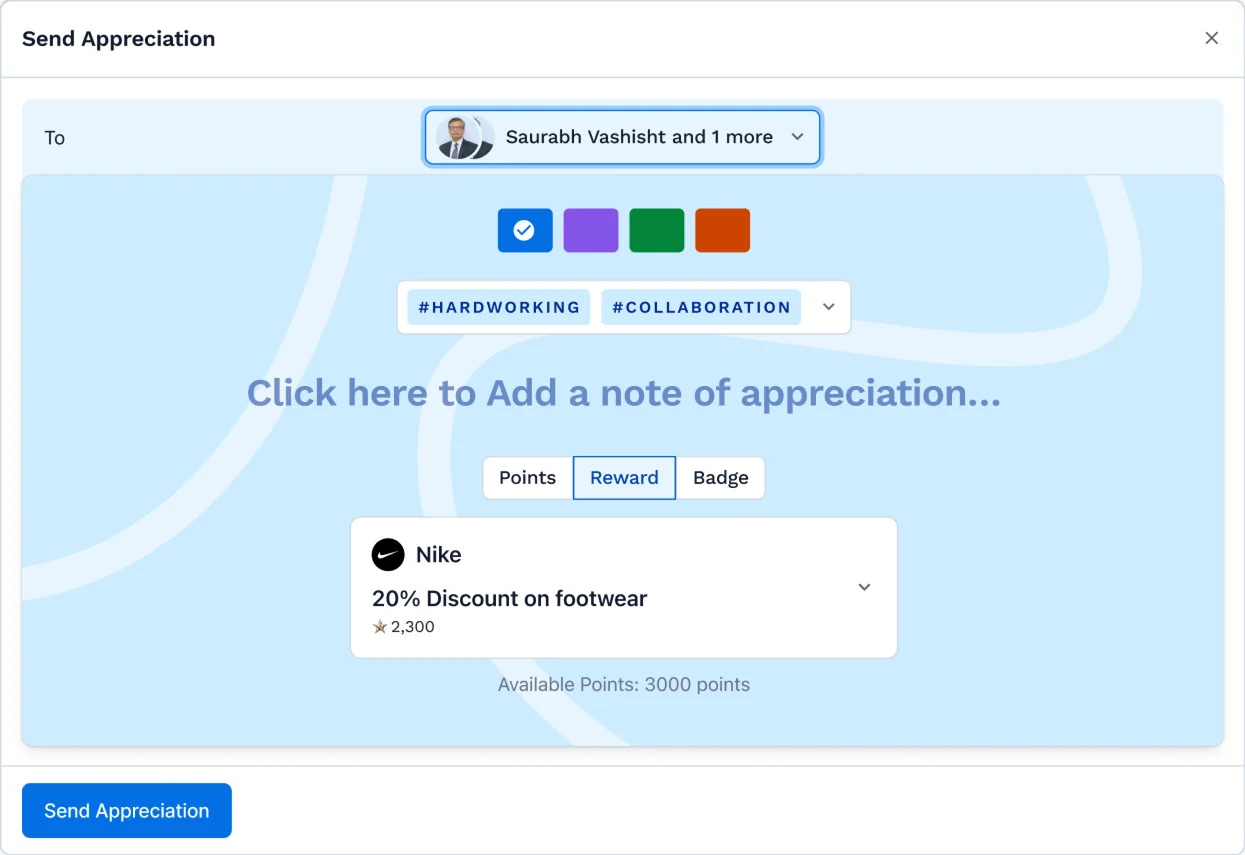
Search, then add more than one
Find people by name instead of scrolling a list. A win usually belongs to several people.
The message invites you in
The note reads as something to write, not a fixed line.
Three payloads, one currency
Points, a reward or a badge, each with a price.
What you can spend
Available points sit right under the payload, before you send.
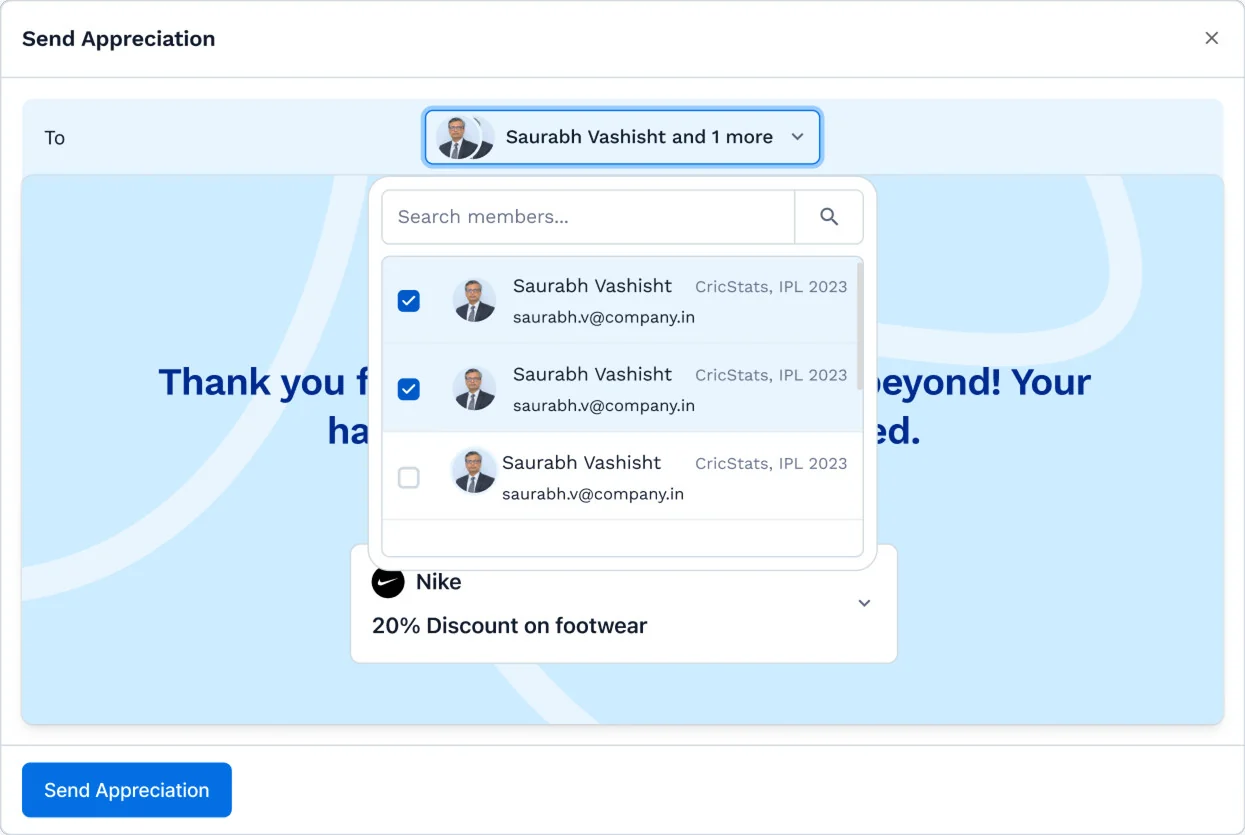
Open the card from anywhere, or type a name in the feed composer and start writing. The card opens around what you typed.

this is the whole product.
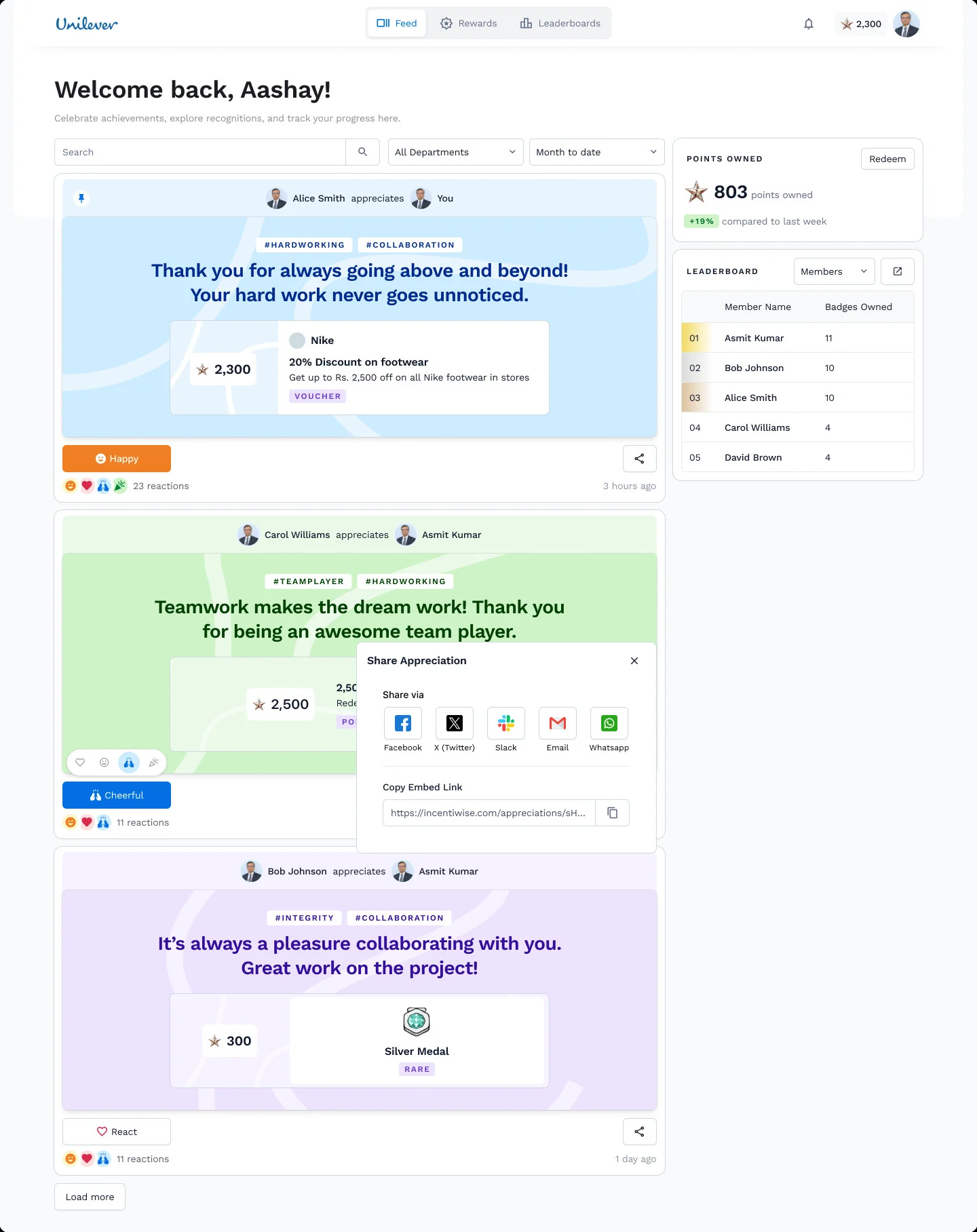
Recognition for you, pinned
The moment that matters to you stays on top.
React
Recognition is public. The feed is its audience.
Share outside
Slack, email, WhatsApp or an embed link. This is sharing, separate from the Slack integration.
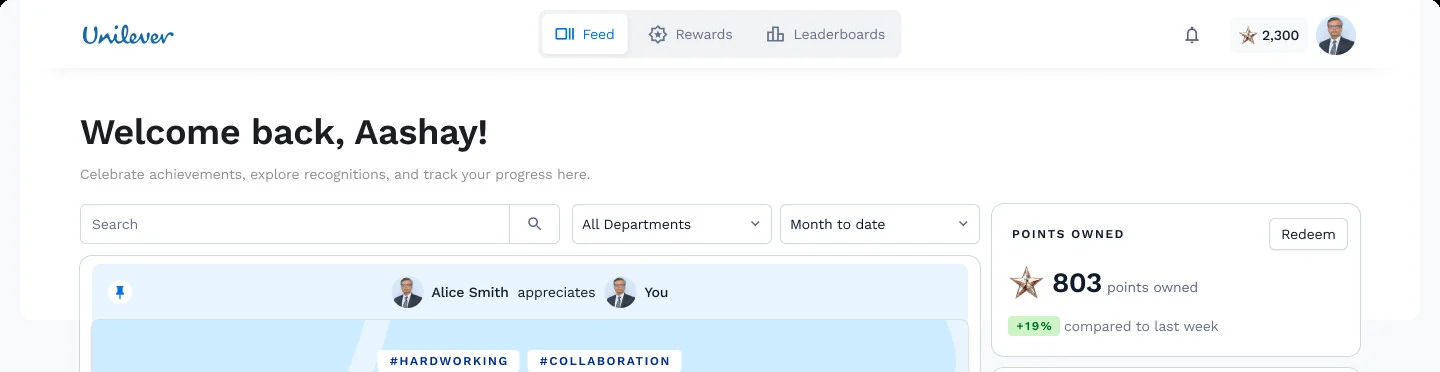
Points owned → Redeem
Your balance and the way to spend it.
Leaderboard
Where you stand this month.
No approvals.
No ledger.
Four rules behind it.
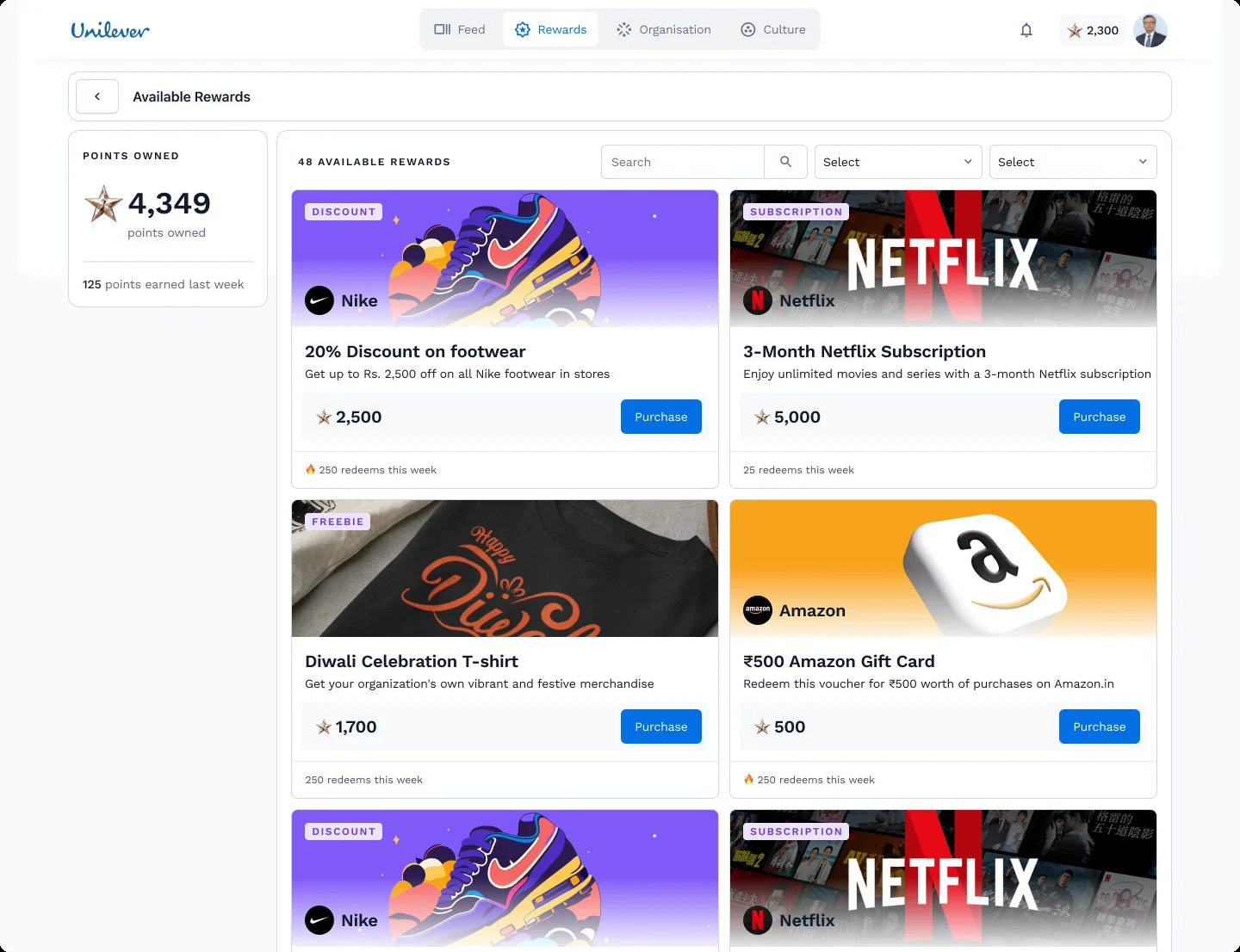
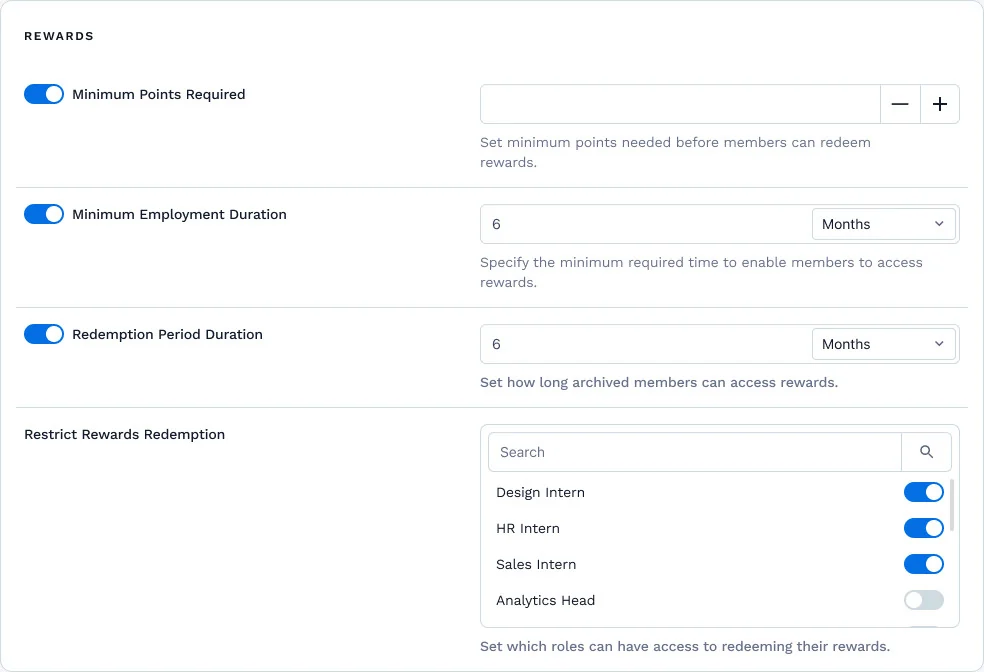
Admin settings. Employees never see these; they only ever see the button.
to give?
Back and forth
Two friends keep thanking each other, and both collect points.
Nobody in charge
Everyone spends from the same company budget. No one owns it.
No limit
Nothing stops 5,000 points for a small favour.
Employees can’t give
So nobody can pass points back and forth.
Every allowance has an owner
The admin sets it, the department lead splits it, the team lead spends it.
Every allowance has a ceiling
A team lead can only give what they were given this quarter.
Who can spend company-funded points?
Every point is prepaid money. Every budget needs an owner.
Only allowance holders give. Employees receive, collect and redeem.
No send box for employees. Every point given traces back to a budget someone approved.
Never mixed.

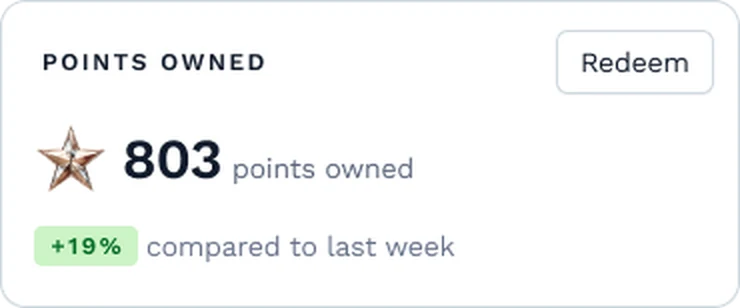
A lead gives recognition and receives it too. If the two numbers ever merged, a lead could spend their own reward points on the team, or quietly keep the company’s. So they live in different places and never touch.
of a thank-you?
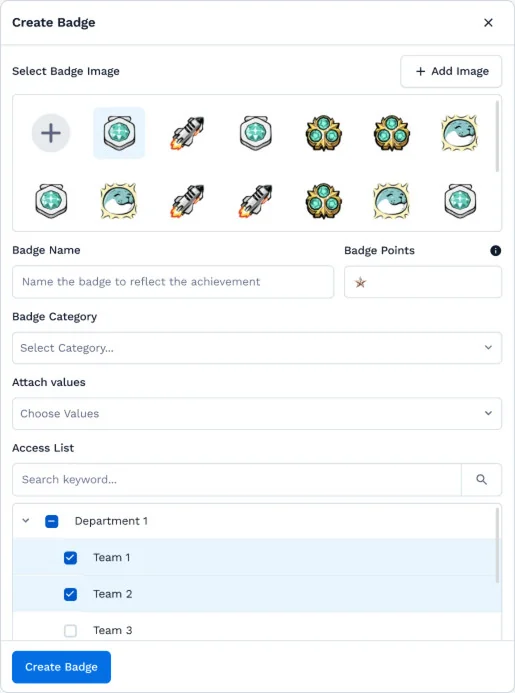
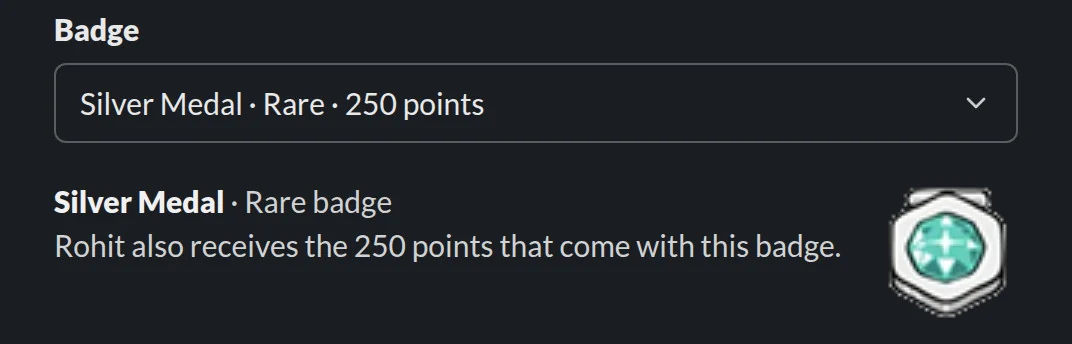
Every badge carries its points
Set once, when the badge is created.
Scoped to departments and teams
Each badge has an access list.
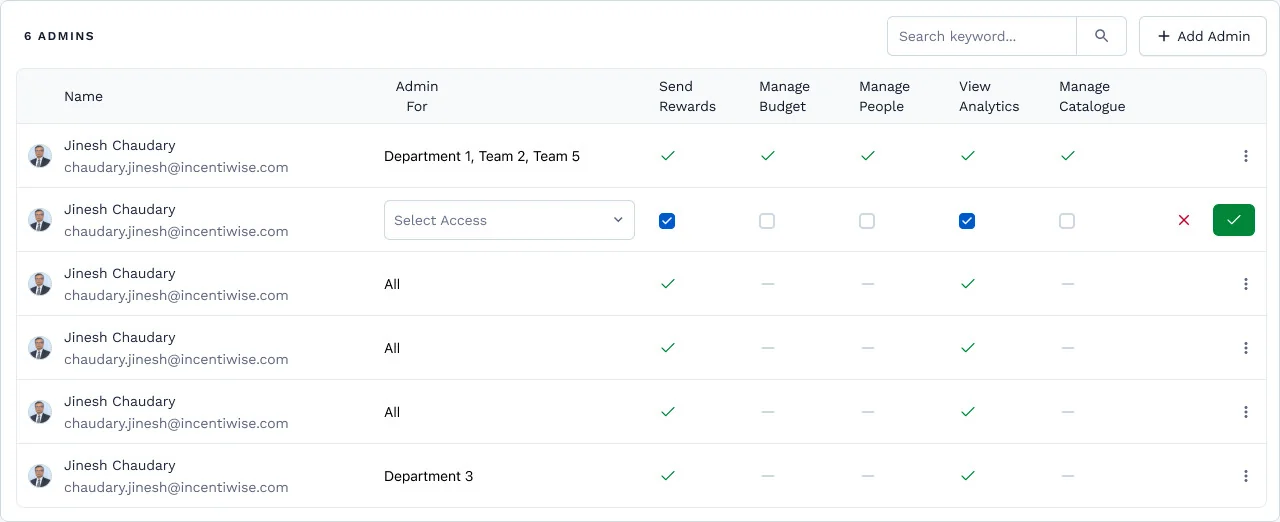
Manage Catalogue is a permission
Not every admin gets it.
Who can create a badge?
A badge carries points, so creating one sets a price.
Admins with Manage Catalogue create and price badges. Leads pick from a scoped list.
No lead can invent a 4,000-point badge and empty an allowance in one gesture. Rarity keeps its meaning.
start in Incentiwise.

a conversation.
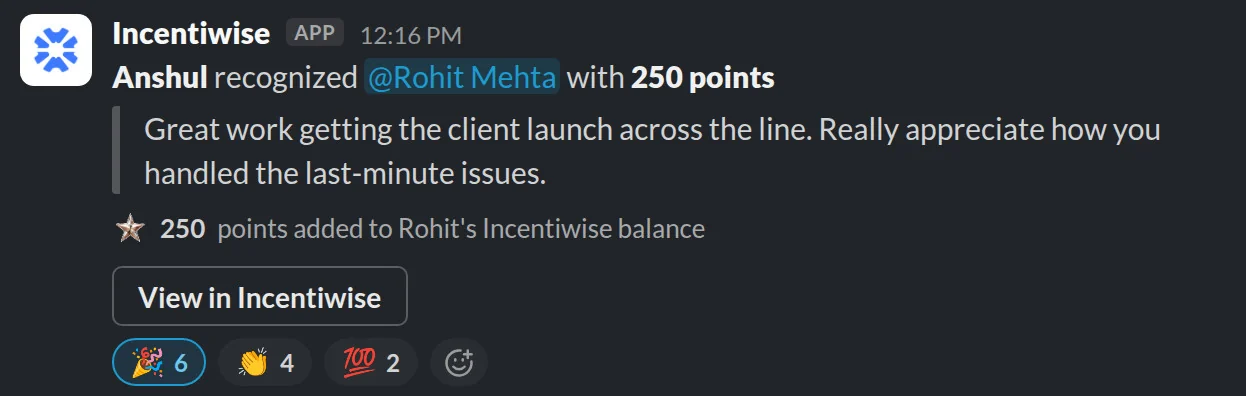
A launch goes live and someone says thanks. The thanks already happened. It just didn’t count for anything.
where people work.
in the conversation.
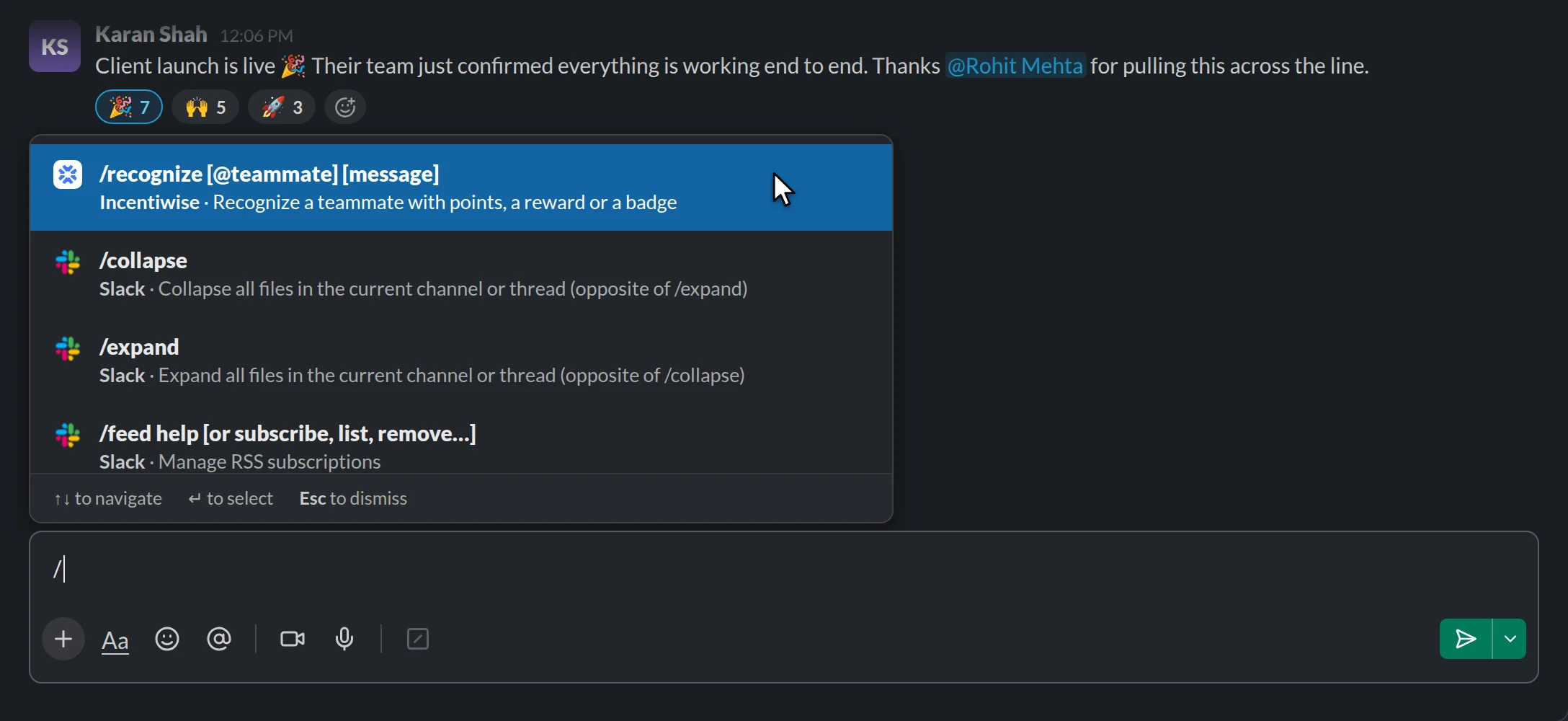
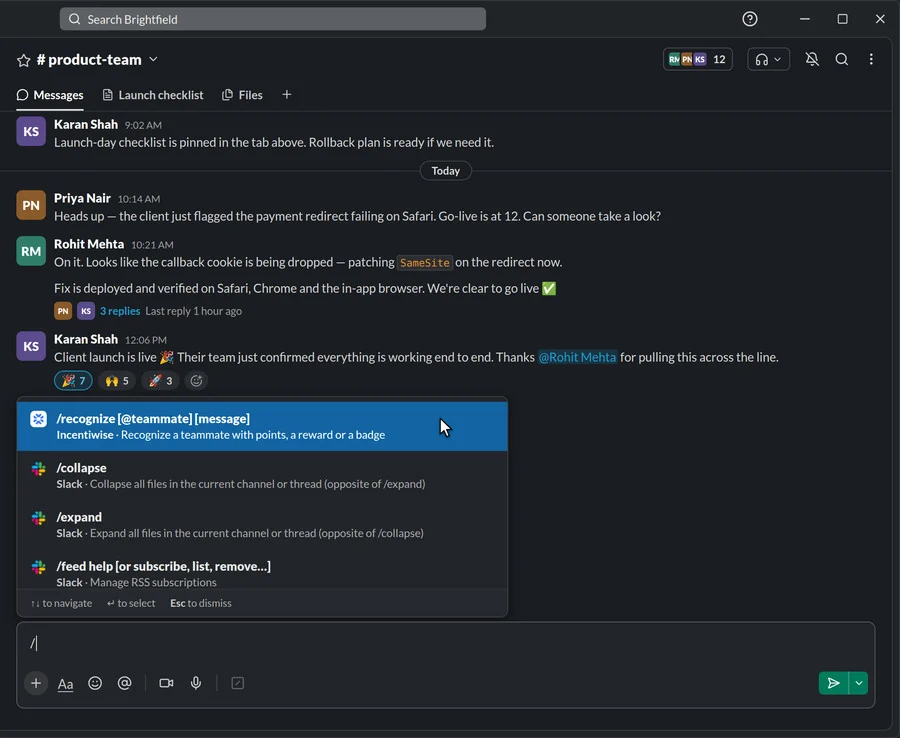
in one line.
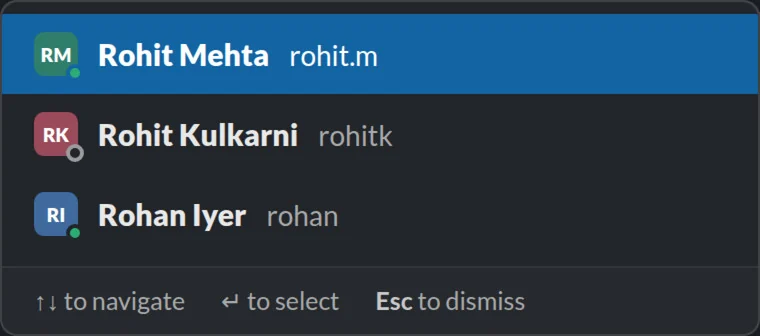
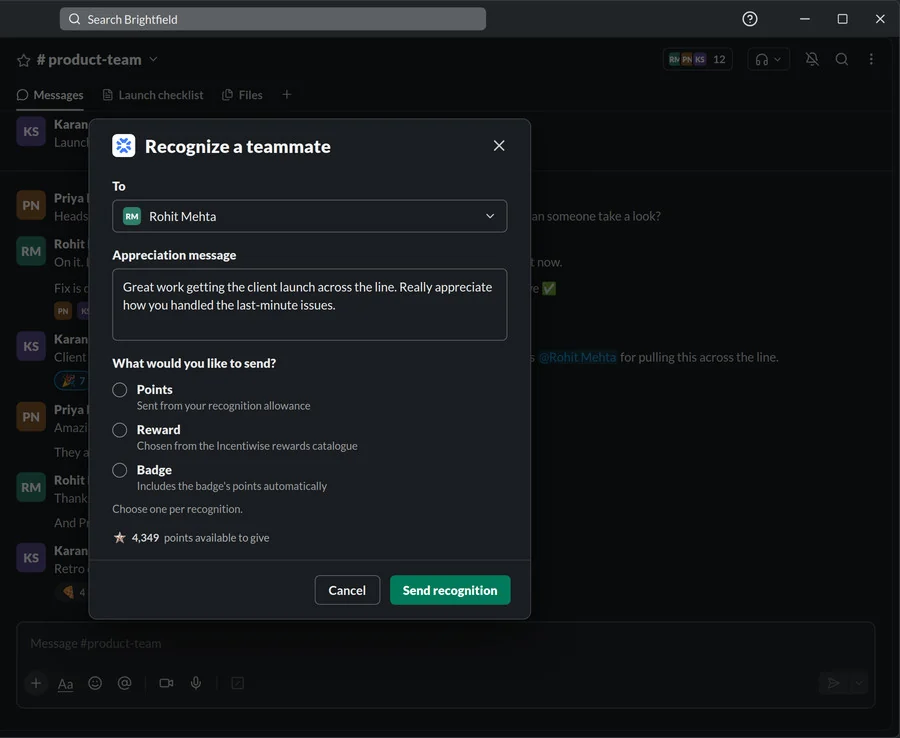
The @ opens Slack’s own people picker, so tagging someone works exactly like it does in any other message.

filled in.
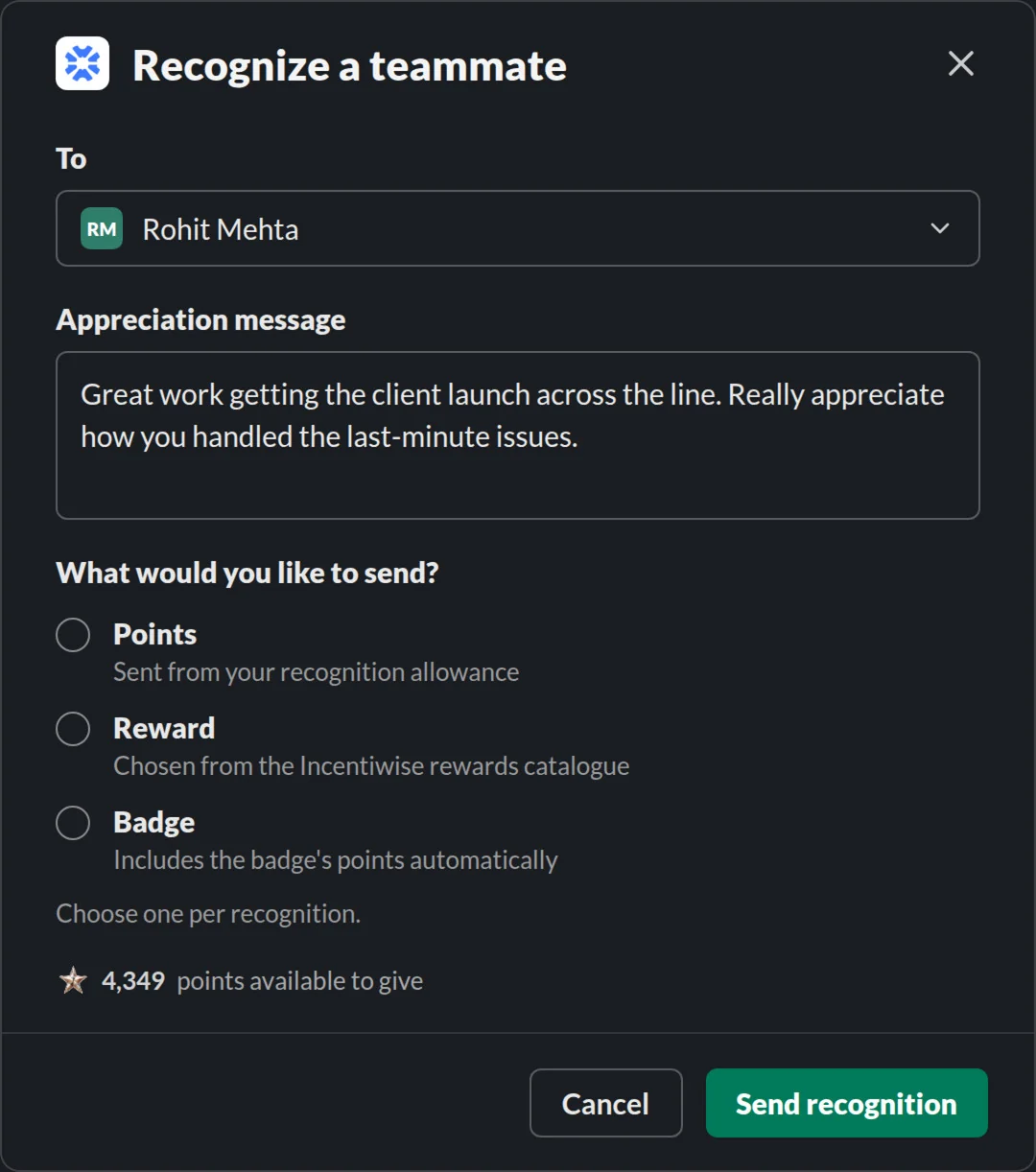
Who, already filled in
Rohit, from the @ in the command.
The message, carried over
Nothing typed twice.
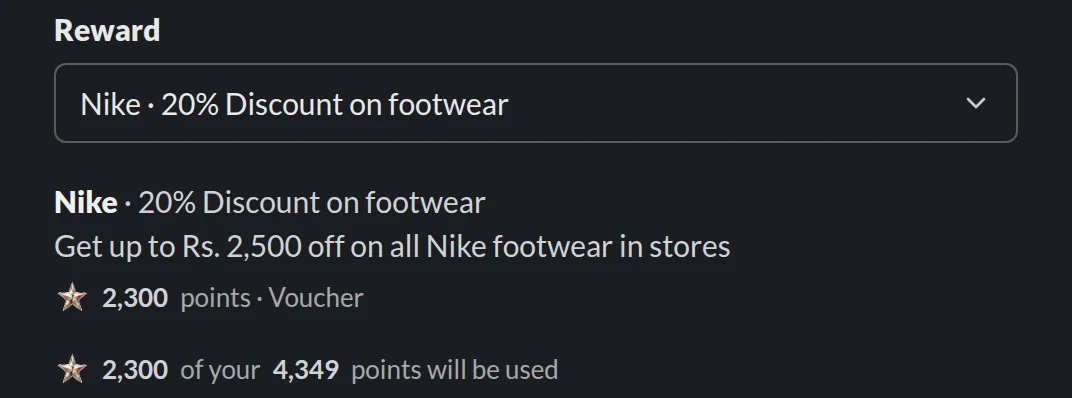
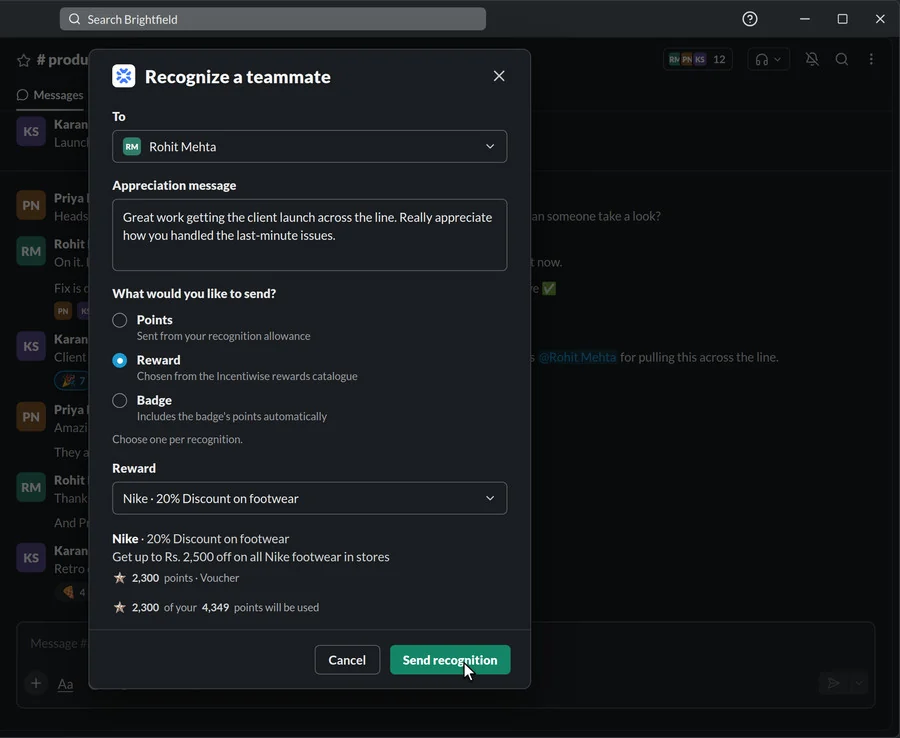
Points, a reward or a badge
One per recognition, each with a short line on what it means.
What you can give
4,349 points in your allowance, visible before you choose.
See what it costs.
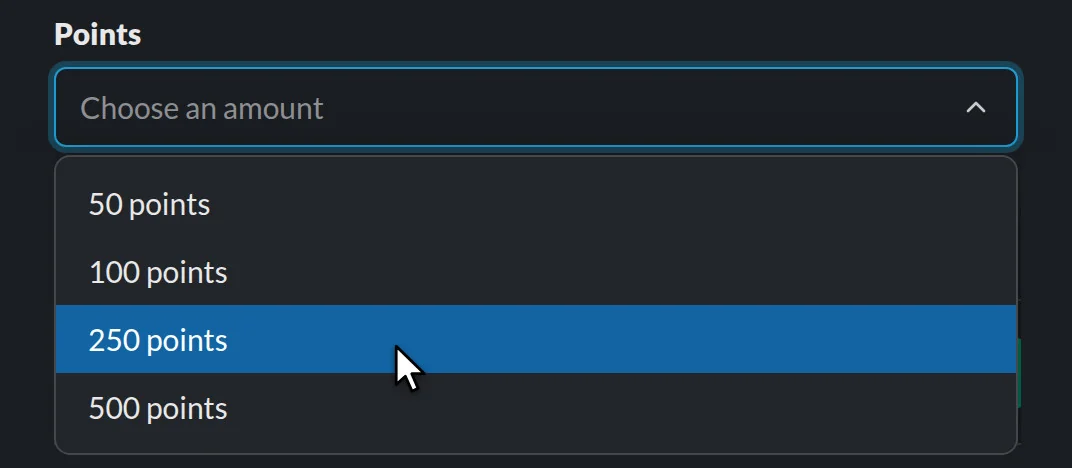
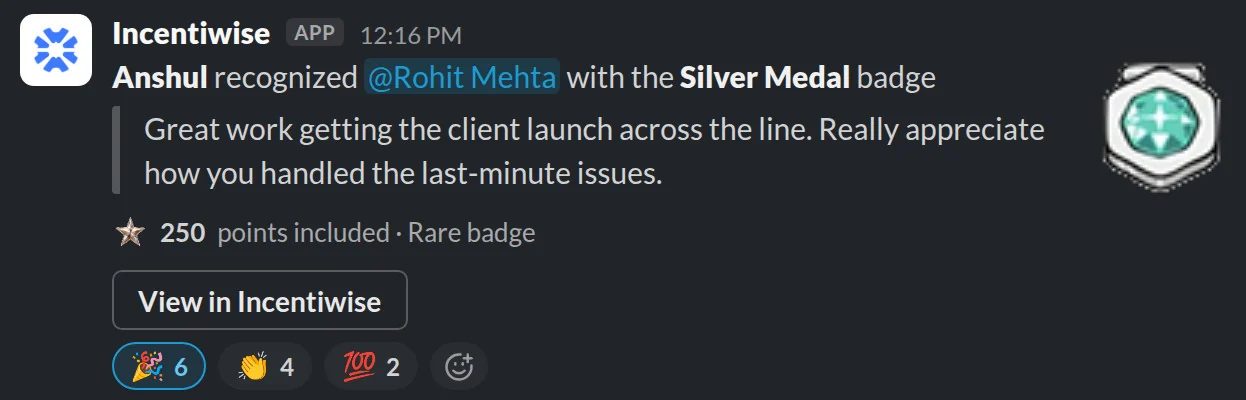
Incentiwise is where it counts.
The conversation + /recognize
Your allowance
Catalogue + badge prices
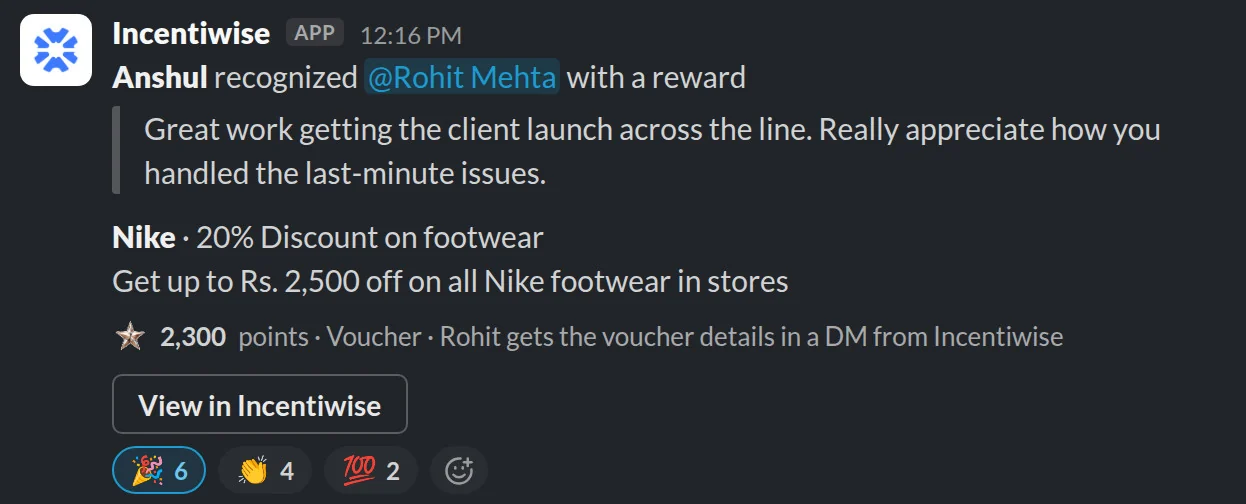
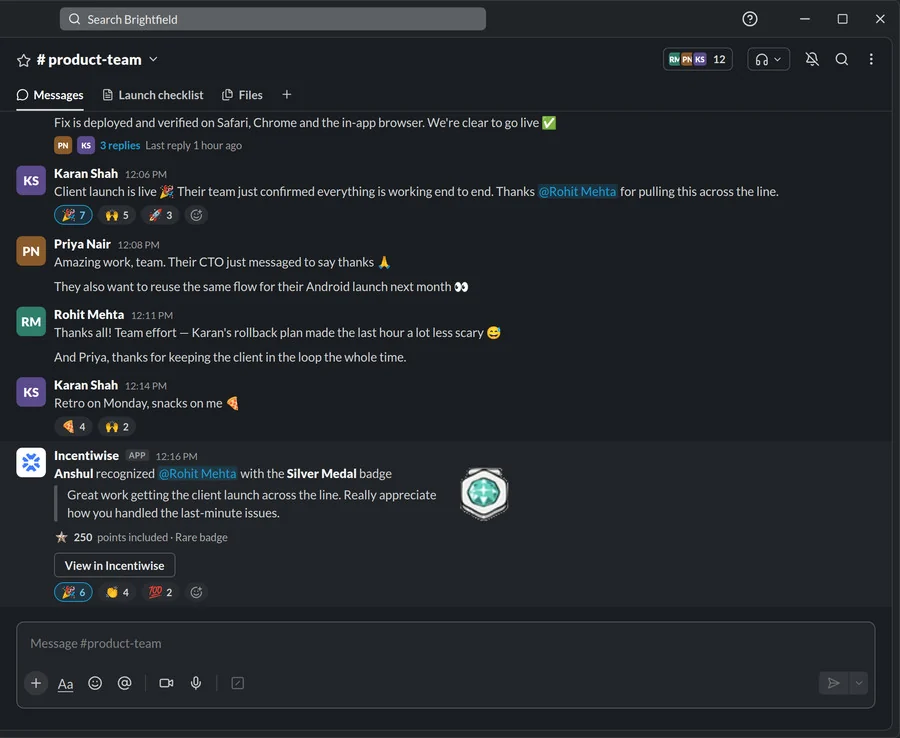
Posted to the channel
Balance updated, record kept
Slack gives the moment; Incentiwise keeps the allowance, the prices and the record. Every post links back with “View in Incentiwise”.
It’s a grid.
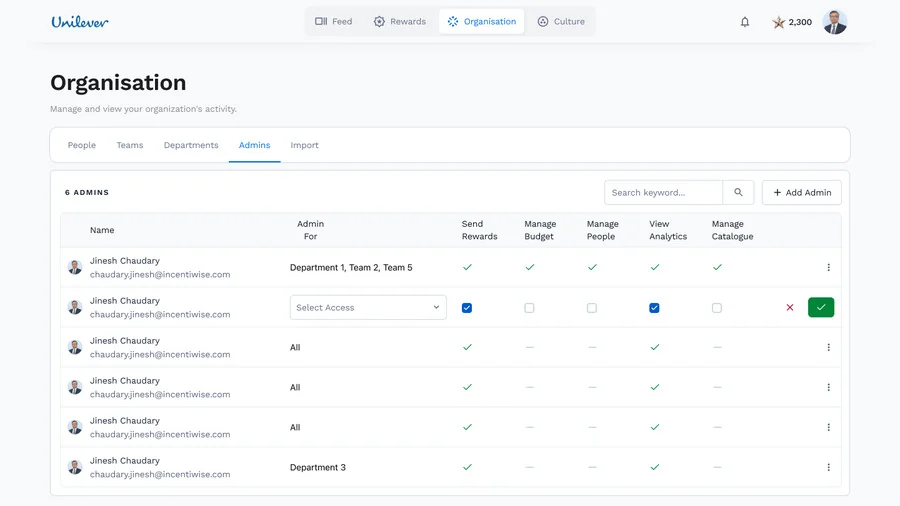
Scope (all, one department, a few teams) × five capabilities: send rewards, manage budget, manage people, view analytics, manage catalogue. A department lead is one arrangement of this grid.
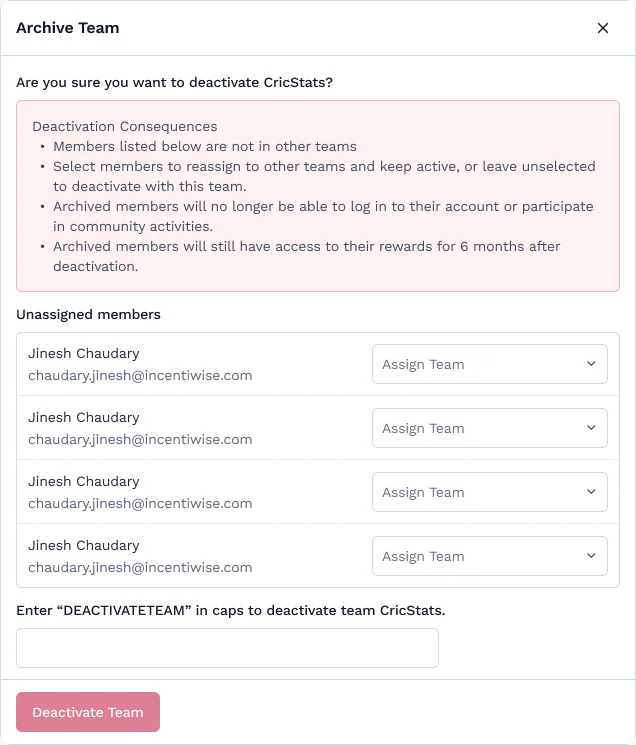
just a delete.
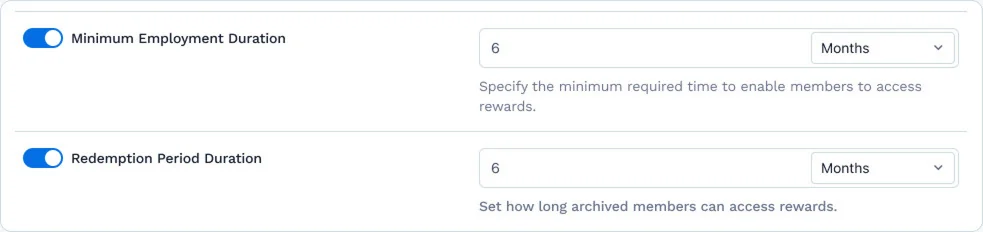
Archiving a team means reassigning its people. People who leave keep access to rewards they already earned for six months. The dialog makes that promise. A setting an admin controls keeps it.
point worth?
Every screen that moves points has to answer it. It sounds like one question. It’s three.
The store already implied it: the ₹500 Amazon card costs 500 points.
1 = ₹1, fixedThe company pays into a vault up front. Allocating points moves money that has already been paid.
If a thank-you shows a price, it stops feeling like a thank-you. Whoever funds it needs to see the price.

Three people.
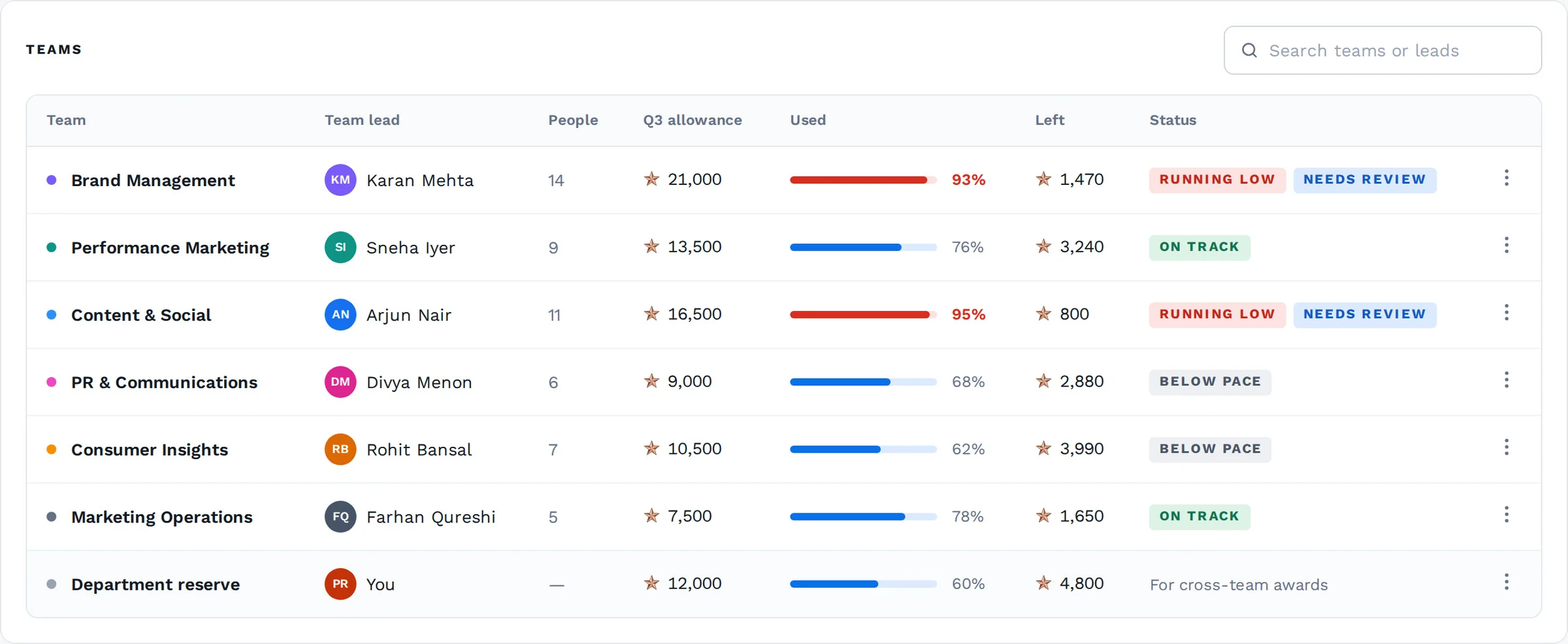
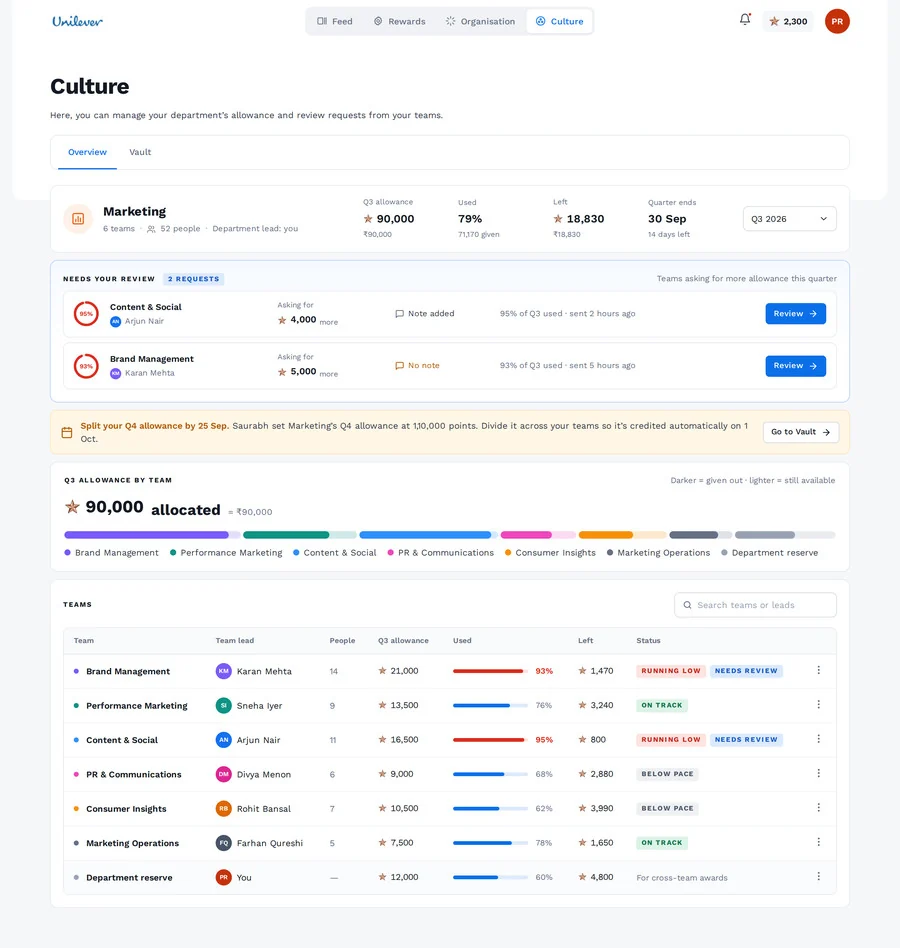
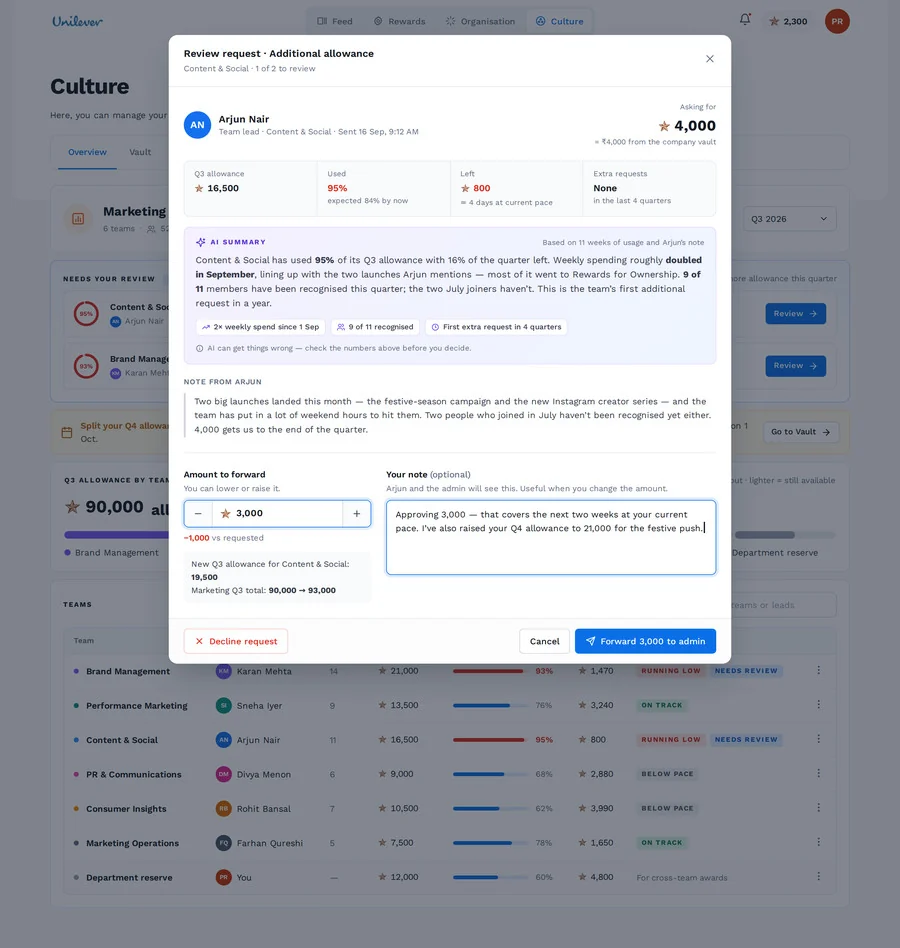
Arjun’s team is running low two weeks before the quarter ends. He asks for more. Priya, his department lead, reviews. Saurabh, the admin, pays. Real money moves, so every step has to be visible.
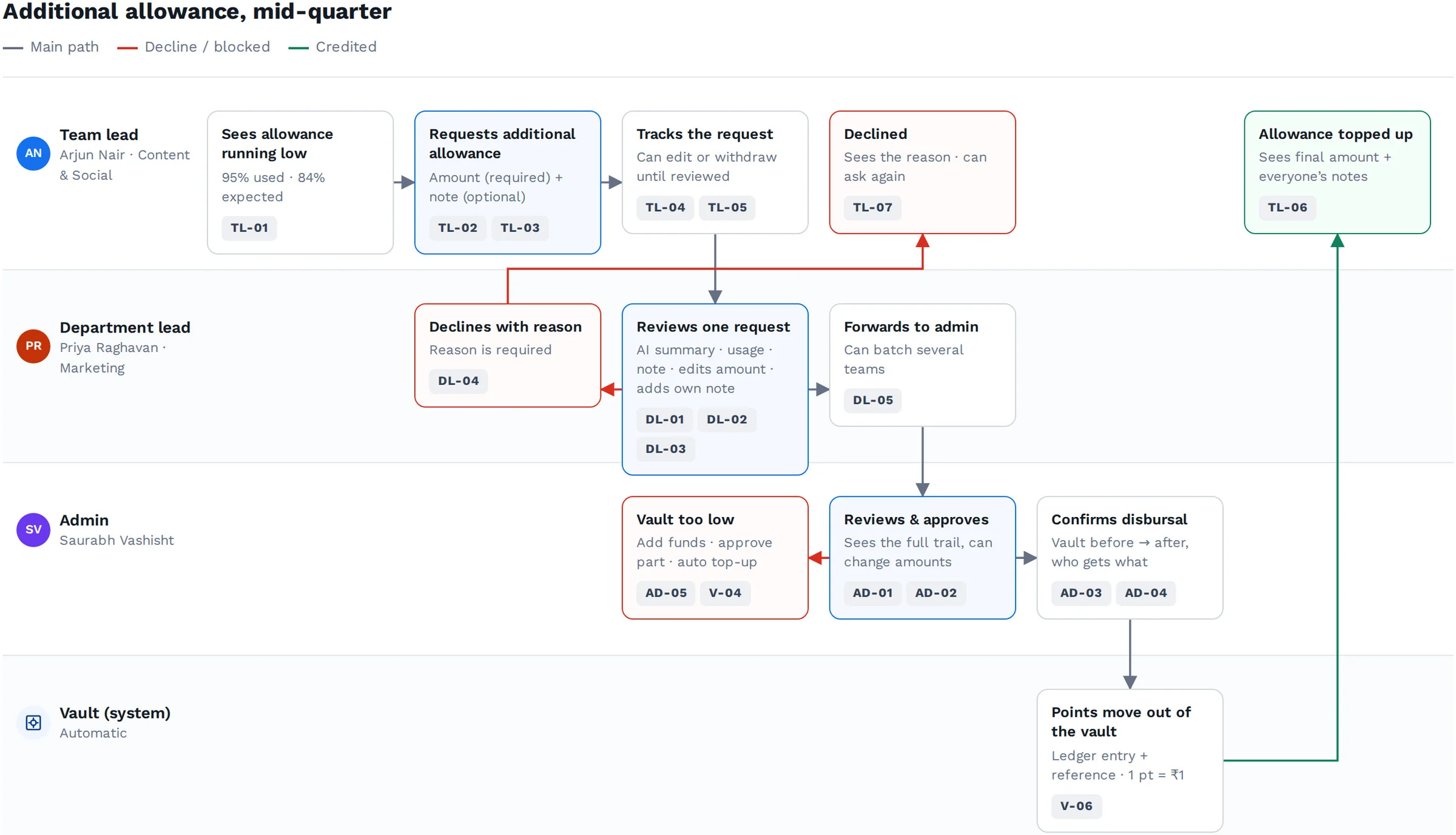
Main path, declines and blocks across all three roles and the vault. The screens below follow it, step by step.
points only
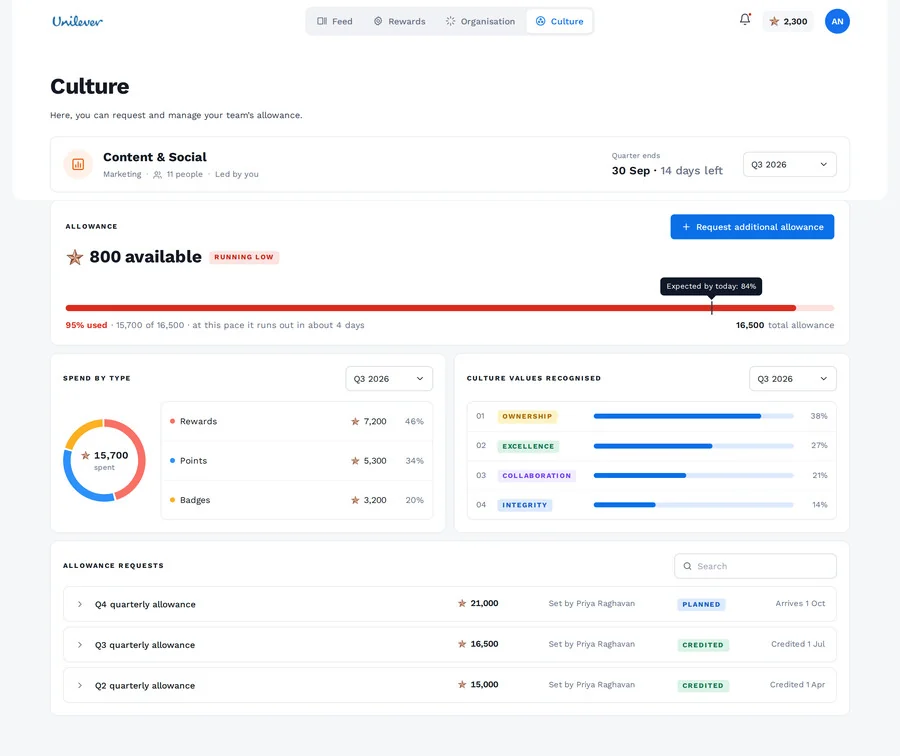
Runs out in about 4 days
95% used at this pace, in plain words.
Expected by today: 84%
A marker for where spending should be.
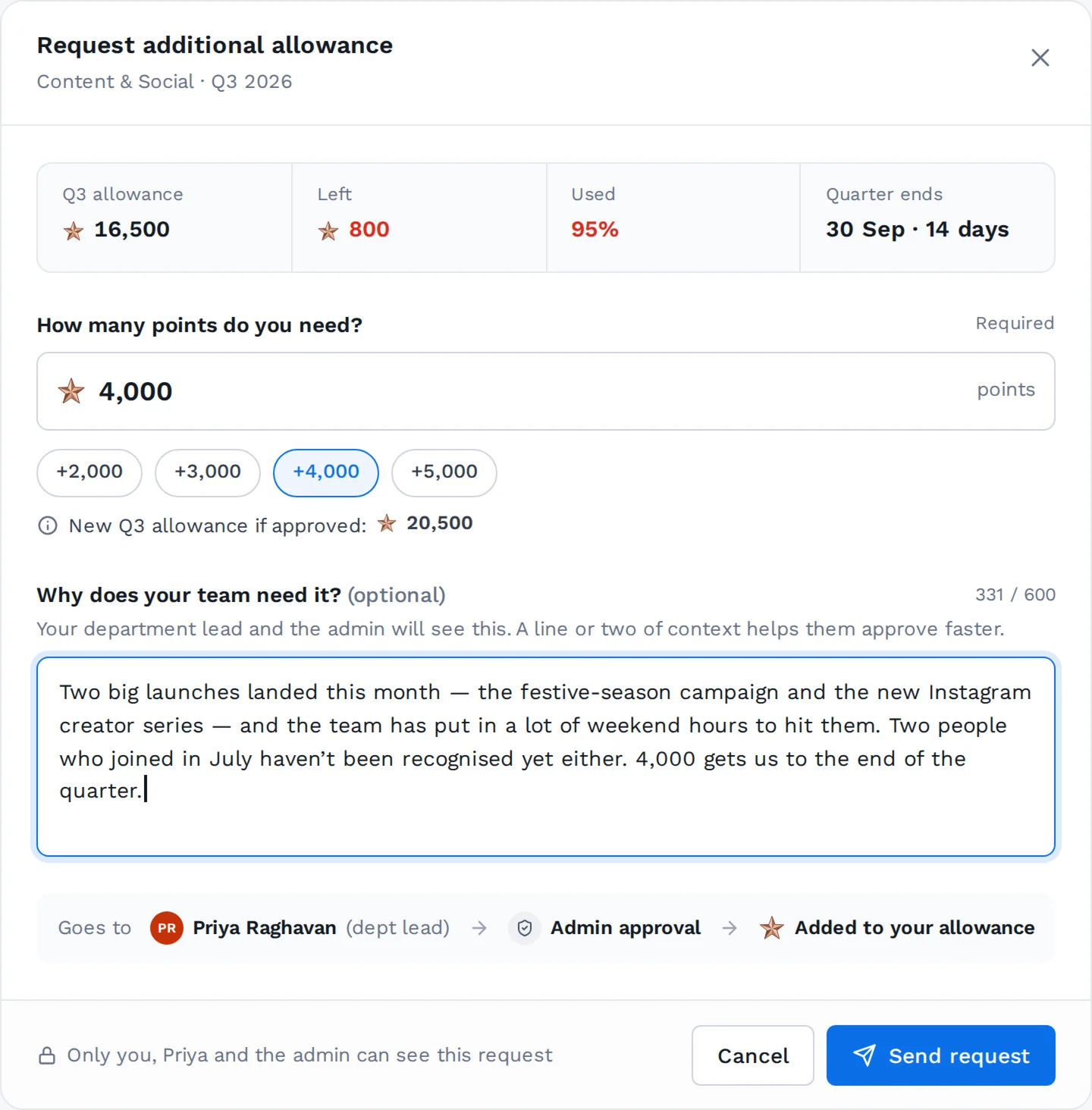
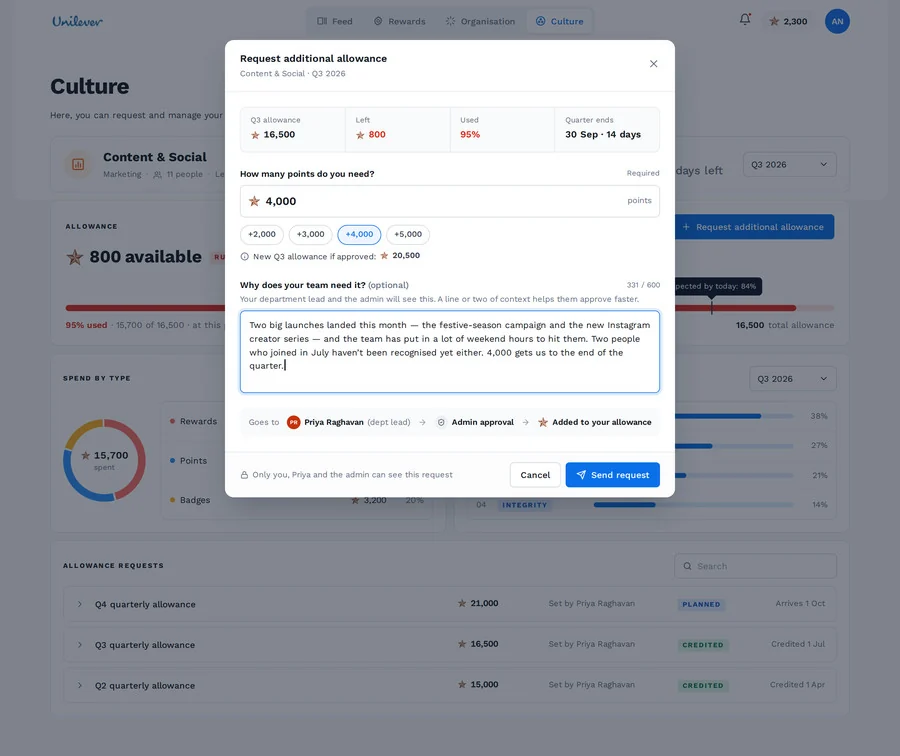
An amount, with quick picks
And the new total if it’s approved.
A human note, optional
Written by the lead, in their own words. 600 characters at most.
Where it goes
Department lead → admin approval → added to your allowance.
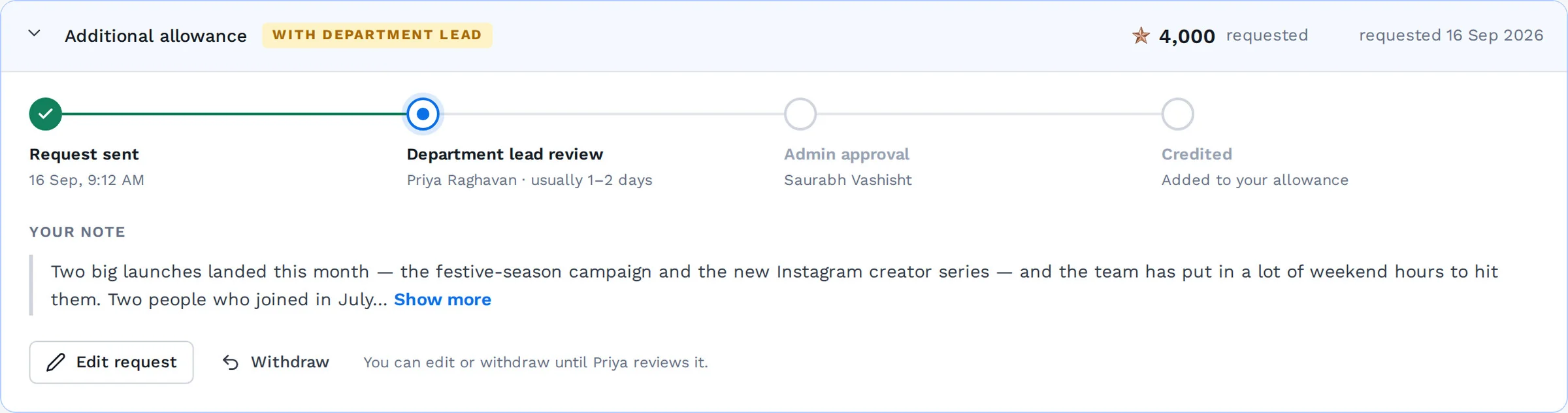
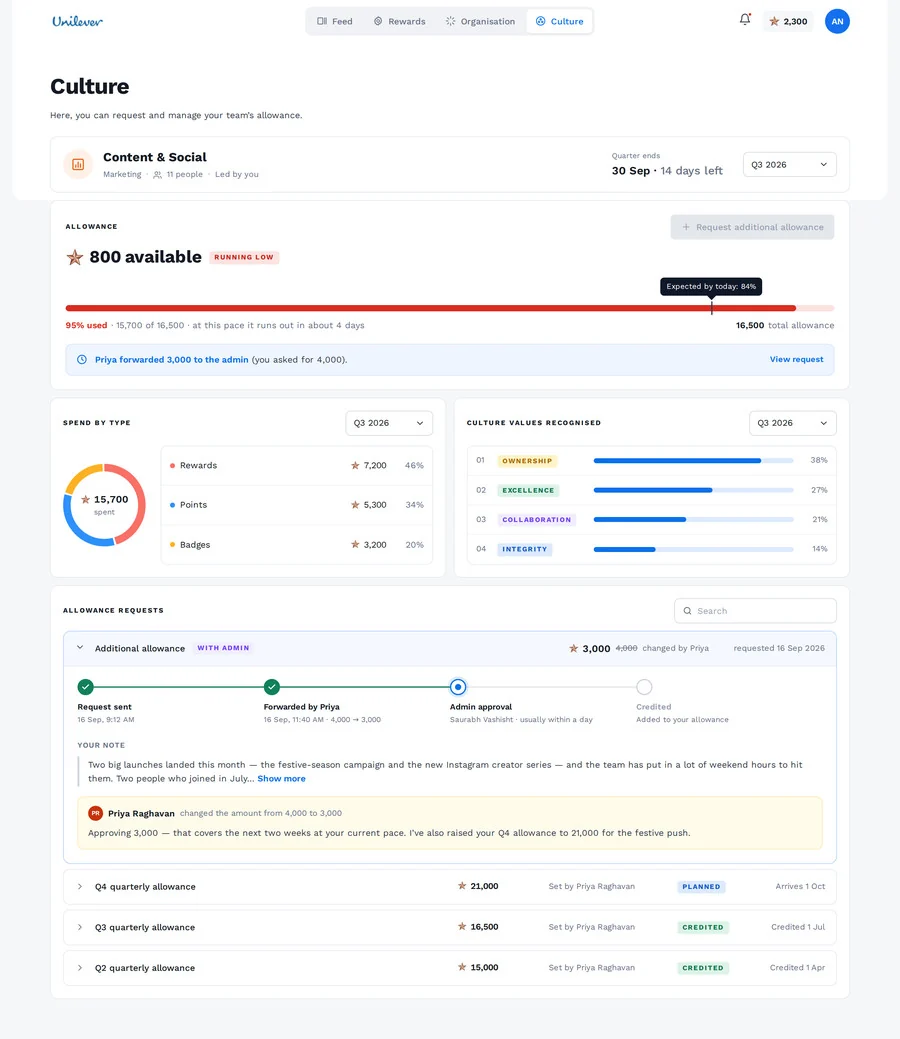
Who has it now
Priya Raghavan · usually 1–2 days.
Still editable
Edit or withdraw until Priya opens it.
points + ₹
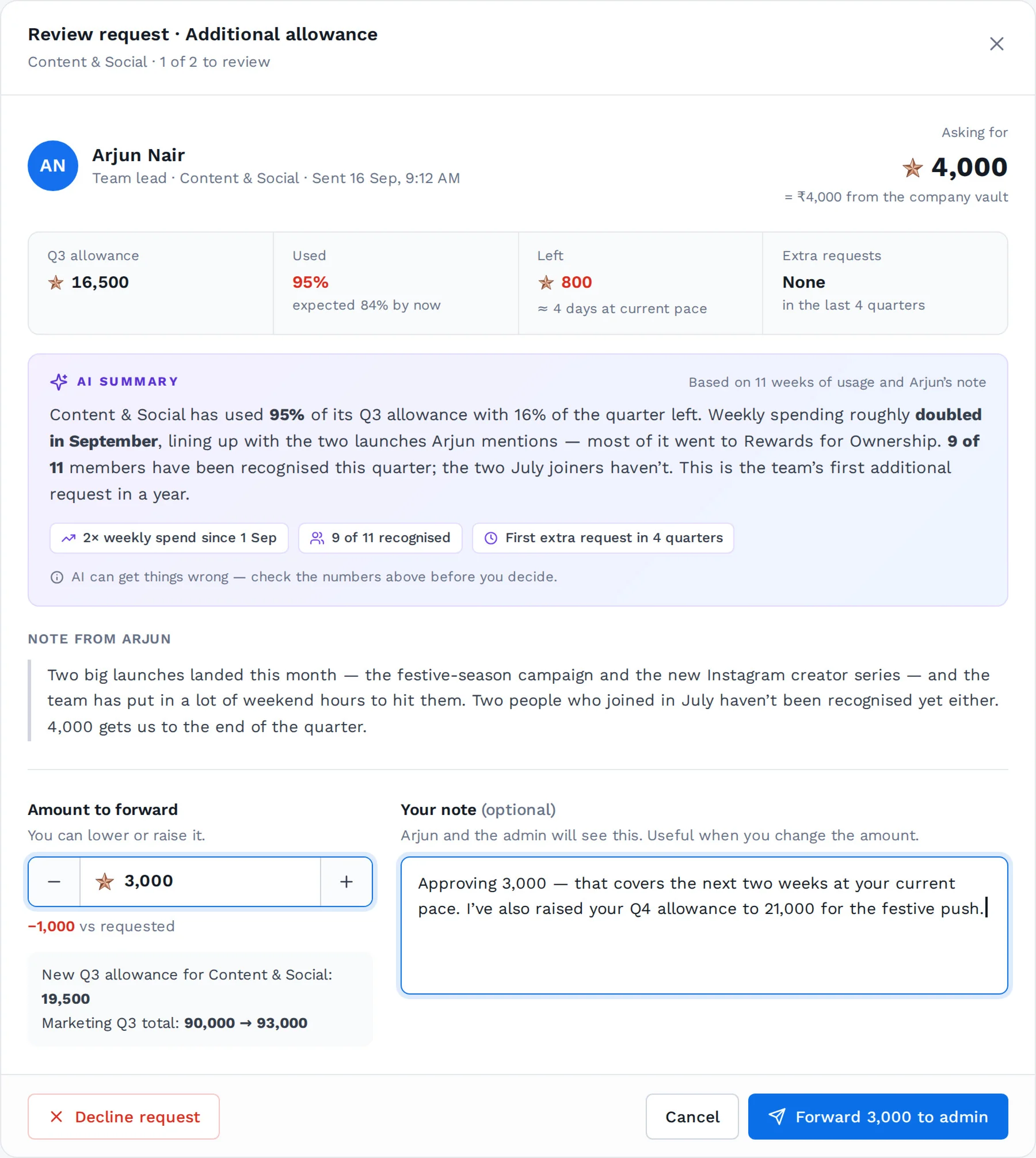
The cost, in rupees
“= ₹4,000 from the company vault.”
An AI summary built from usage
Pace, where points went, who has been recognised, past requests. It works without a note, and says “AI can get things wrong”.
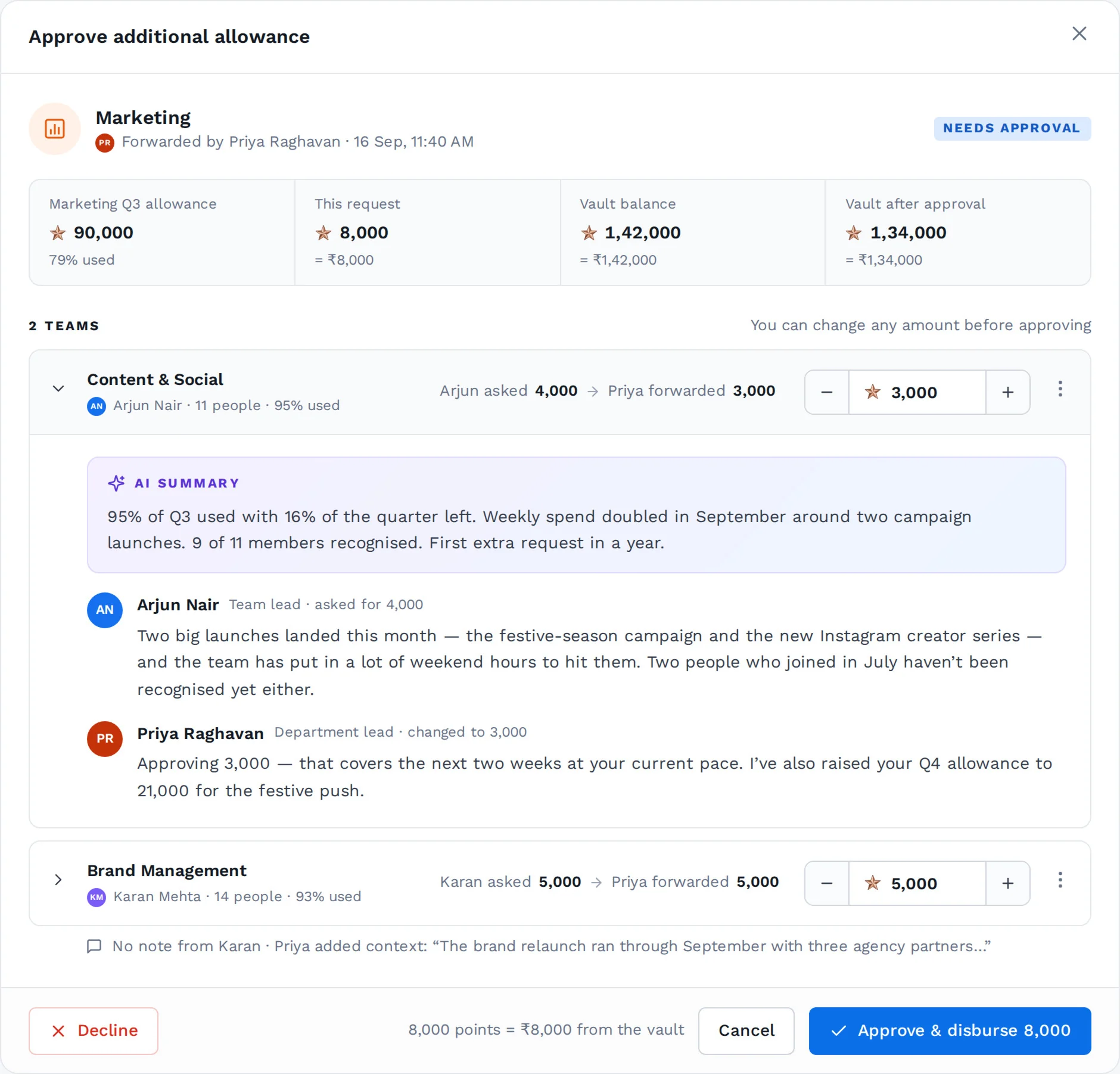
Edit the amount
Priya forwards 3,000 instead of 4,000…
…and says why
A note Arjun and the admin will both read.
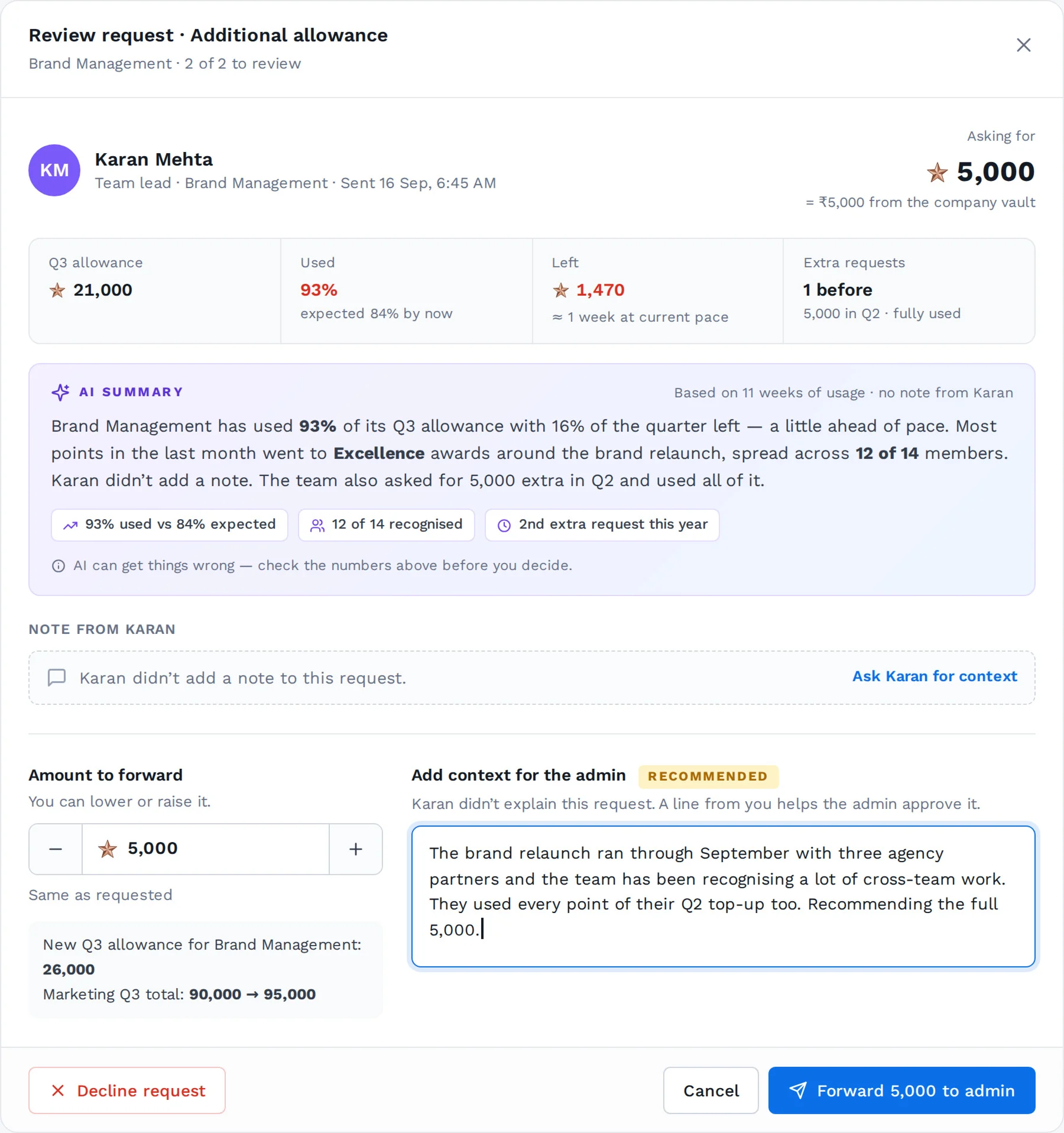
No note from the lead
The empty state says so, with “Ask Karan for context”.
So the department lead adds it
Marked Recommended. The admin never gets a request with no reason.
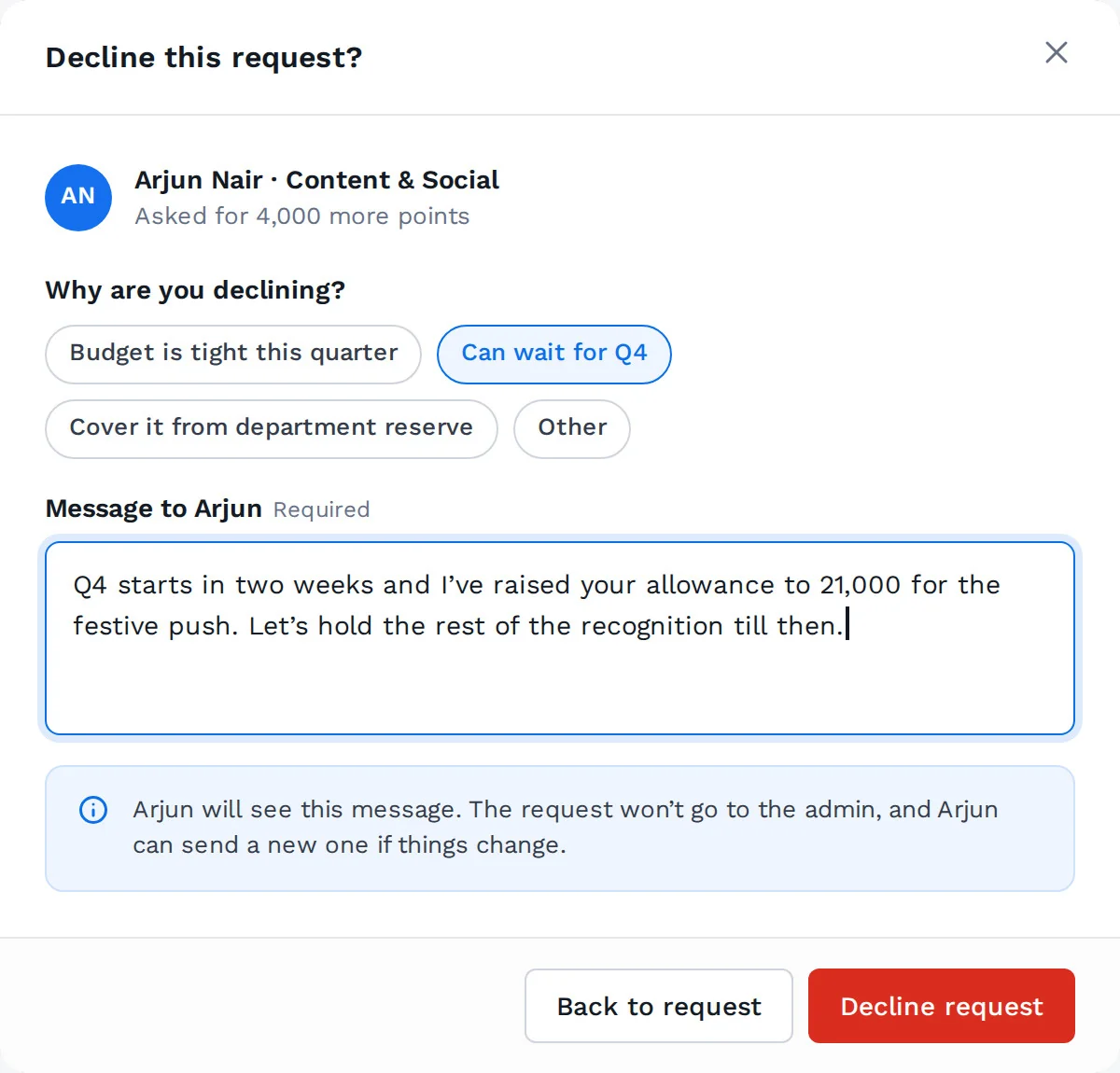
Declining needs a reason
Quick picks, not an essay.
And a message
Required. The request stops here and Arjun can send a new one.
 + ₹ + the vault
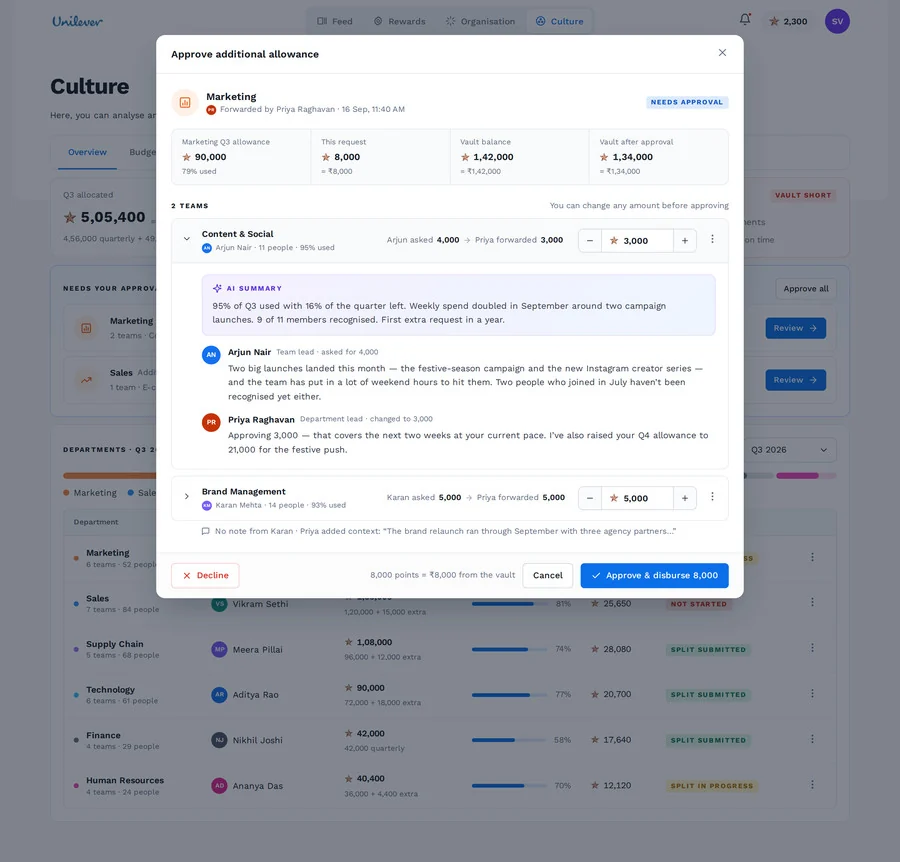
Vault before and after
Before approving, not after.
The whole trail
Arjun asked 4,000 → Priya forwarded 3,000, with both notes underneath.
The price, one line
8,000 points = ₹8,000 from the vault.
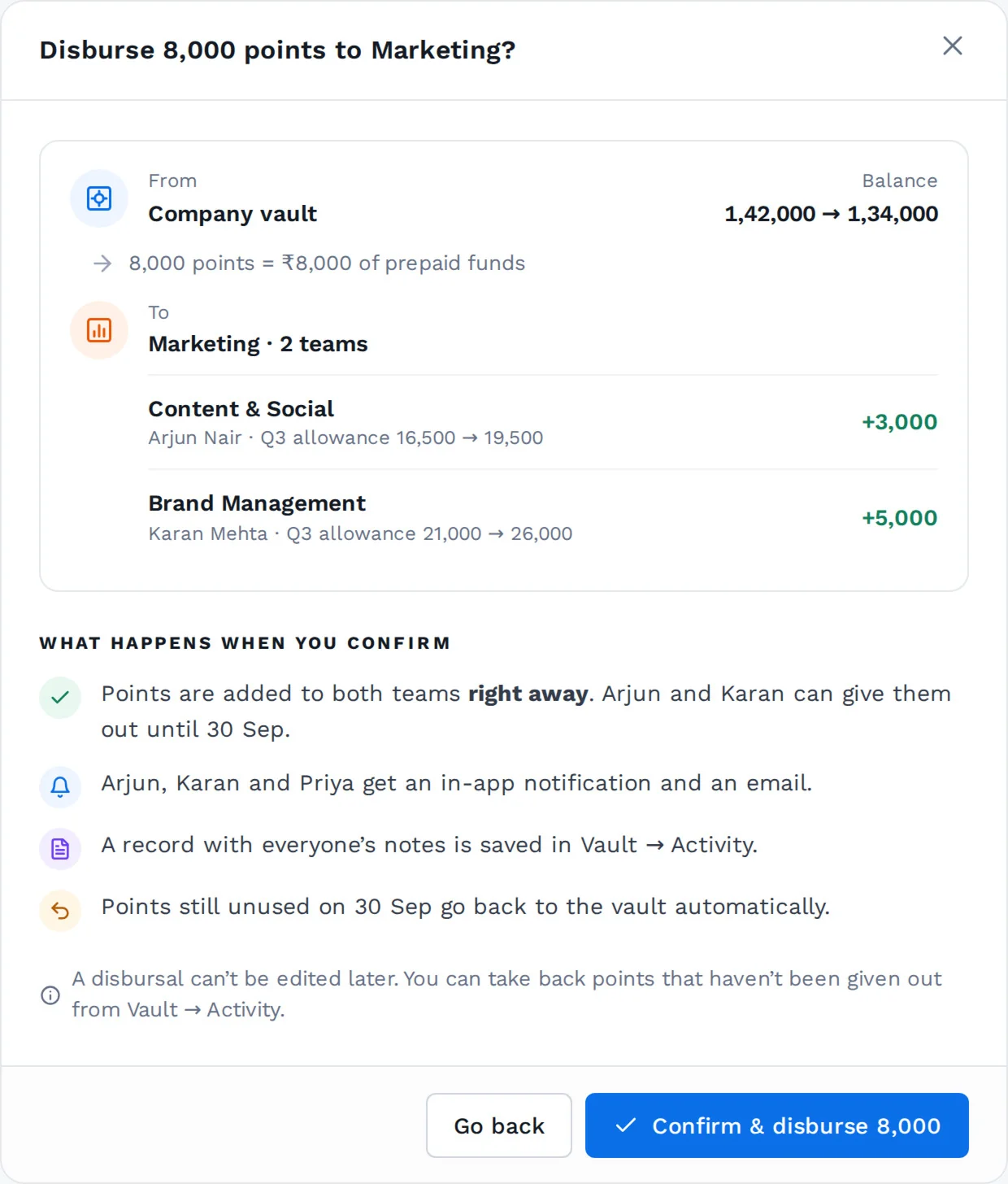
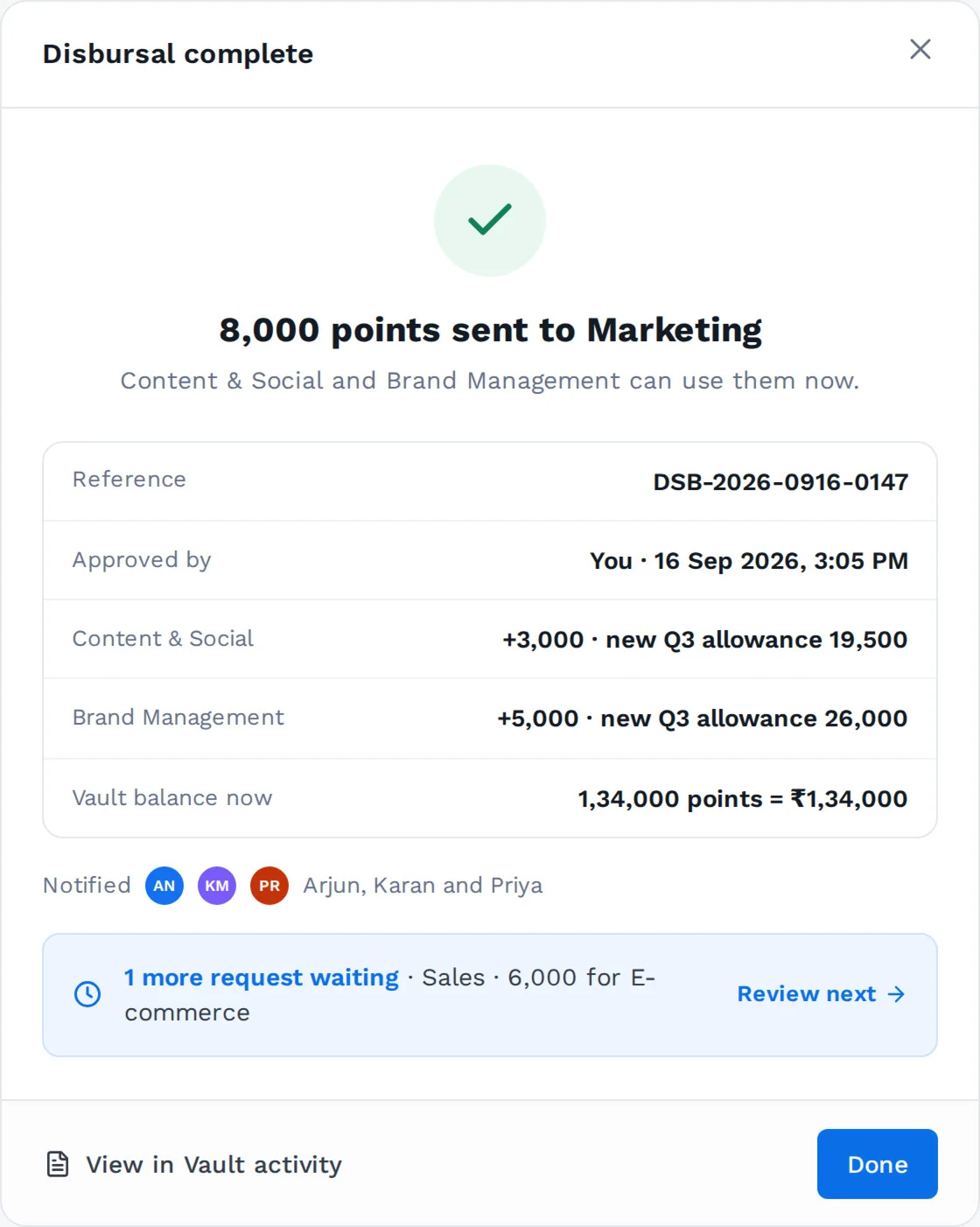
The vault, before and after
1,42,000 → 1,34,000.
What happens next, in writing
Who can spend it, who is told, where the record goes, and what returns on 30 Sep.


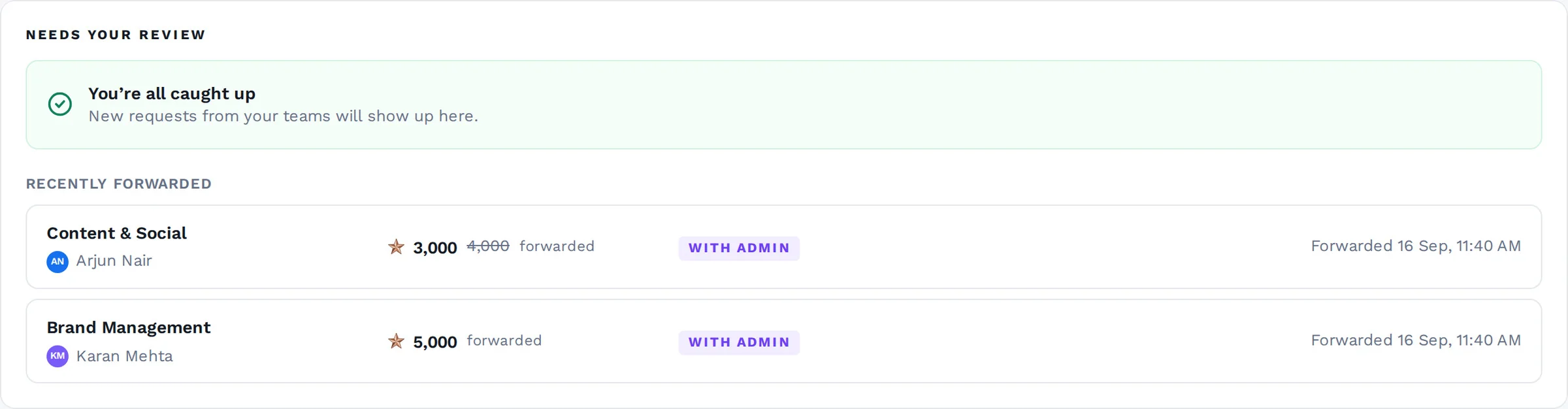
Add funds, approve part of it now, or turn on auto top-up. The team lead only ever sees “with admin”; the reason stays with the person who can fix it.
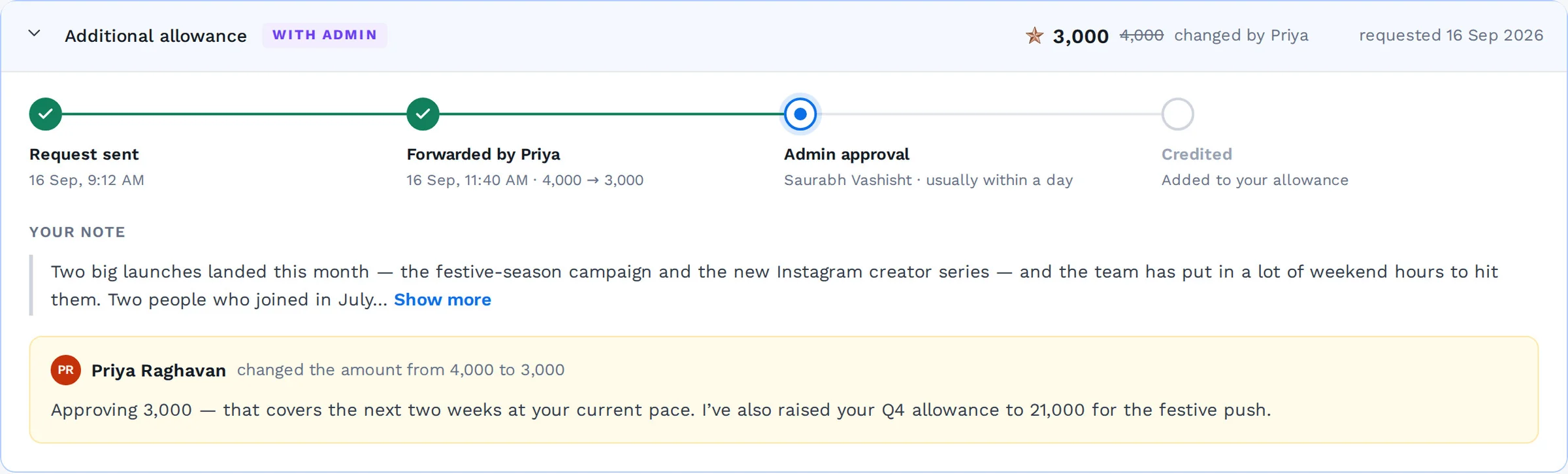
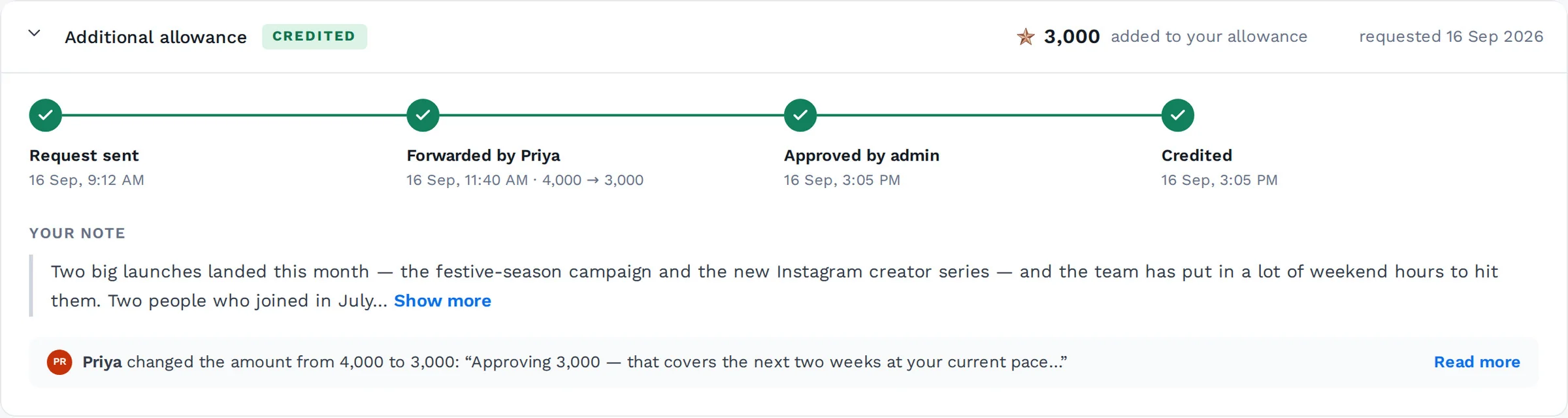
The amount changed
3,000, with 4,000 struck through, “changed by Priya”.
And why
Priya’s note, word for word, on the request Arjun sent.
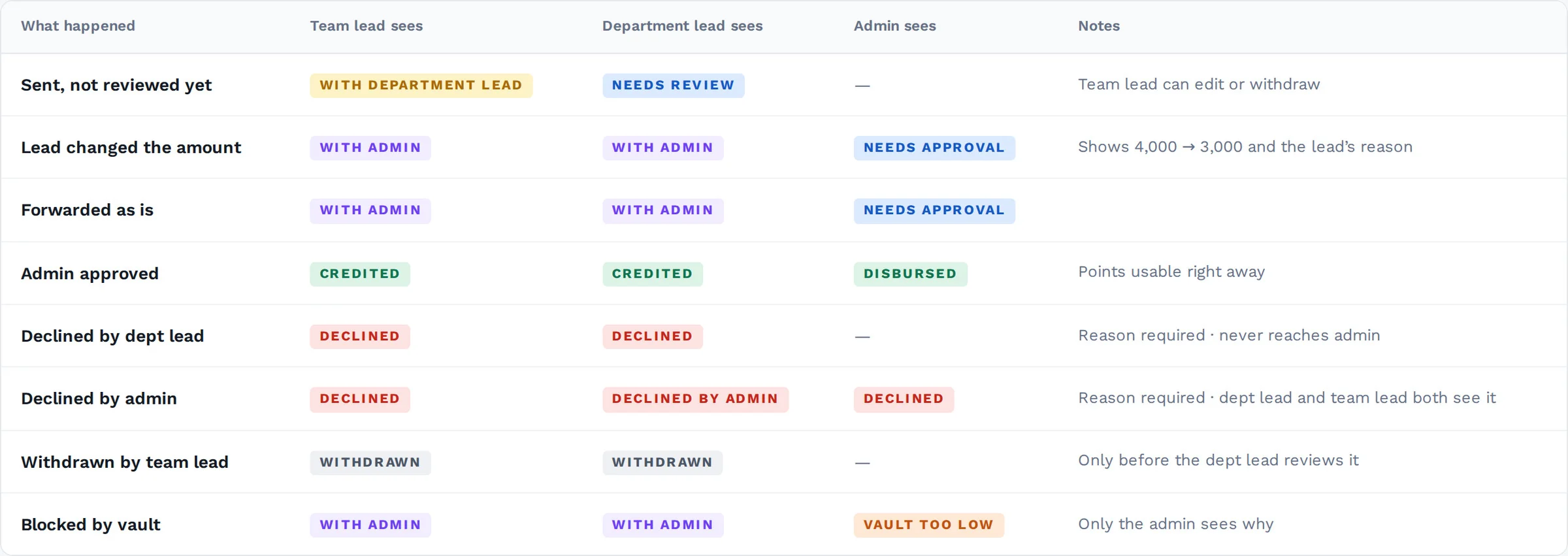
One status per role.
Eight states, one table. Each role only sees the statuses it can act on.
see the money,
the product fails.
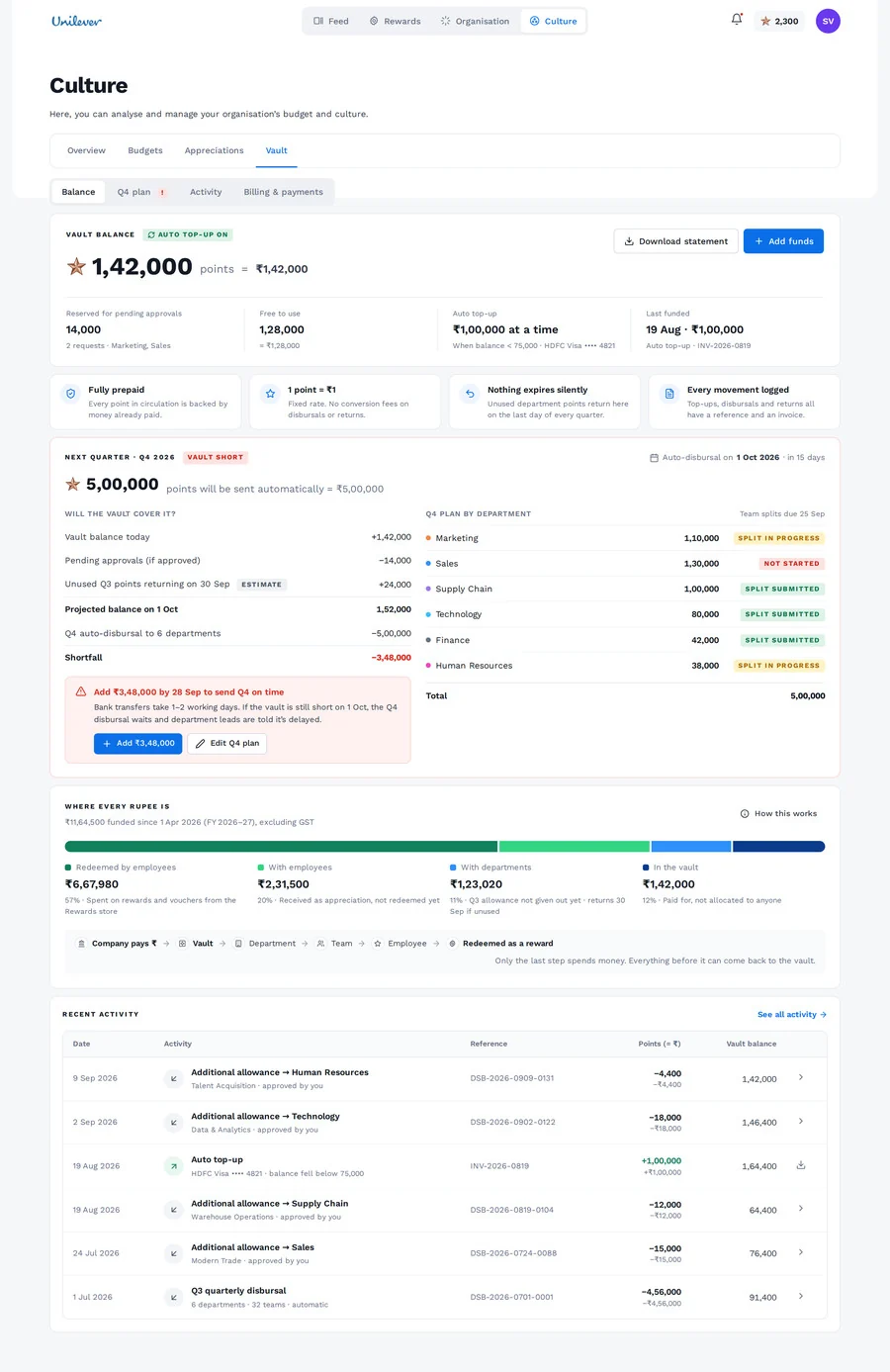
An admin is responsible for real money, so the vault had to be built around trust. It has to answer four questions before an admin thinks to ask them.
What’s a point worth?
Fixed, and printed next to every amount.
What do we have?
Balance, what’s reserved for pending approvals, and what’s free to use.
Will it cover next quarter?
Before 1 Oct, not after.
Where did every rupee go?
Spent, promised, or coming back.
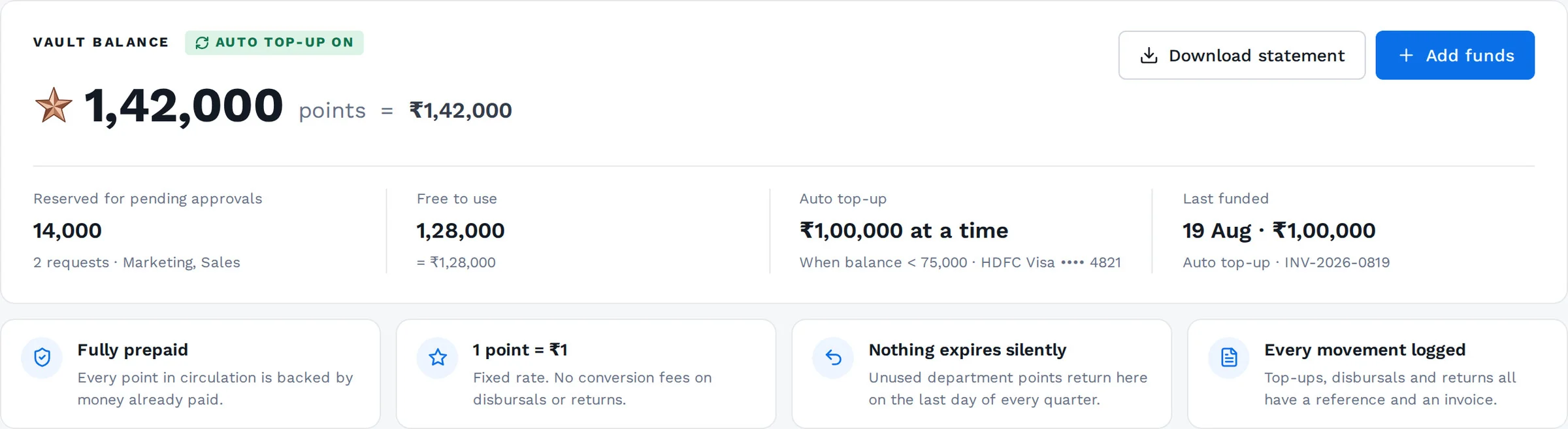
1,42,000 = ₹1,42,000
The rate is never a footnote.
Reserved vs free
Pending approvals already hold their points.
Four promises
Fully prepaid · 1 point = ₹1 · nothing expires silently · every movement logged.
actually spends money.
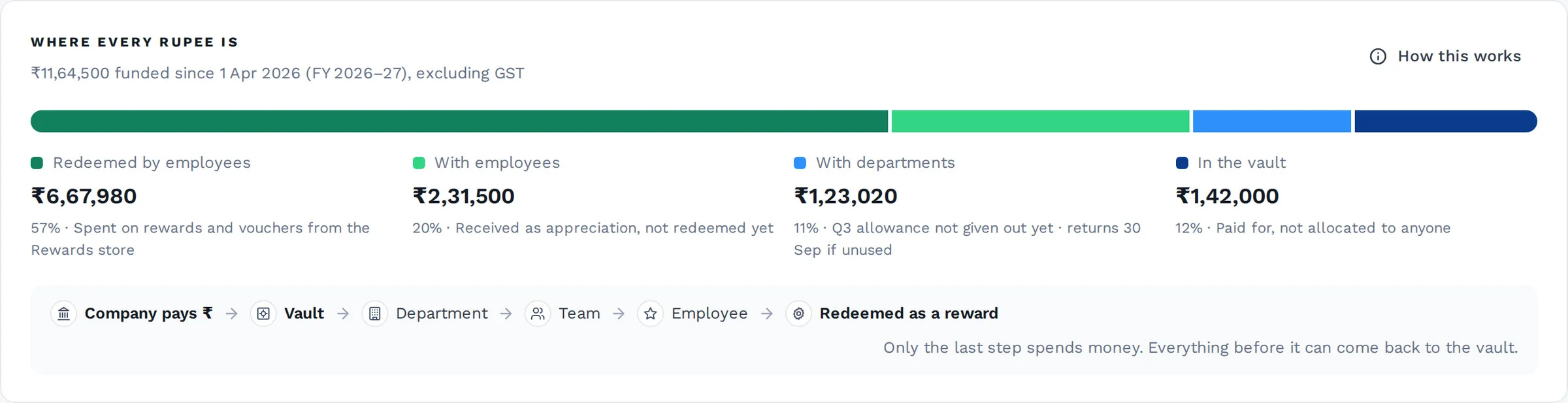
The Act 03 diagram, rebuilt as a product surface: company pays ₹ → vault → department → team → employee → redeemed.
cover it?
The Q4 allowances go out automatically on 1 Oct. A shortfall shows up two weeks early, with the arithmetic.
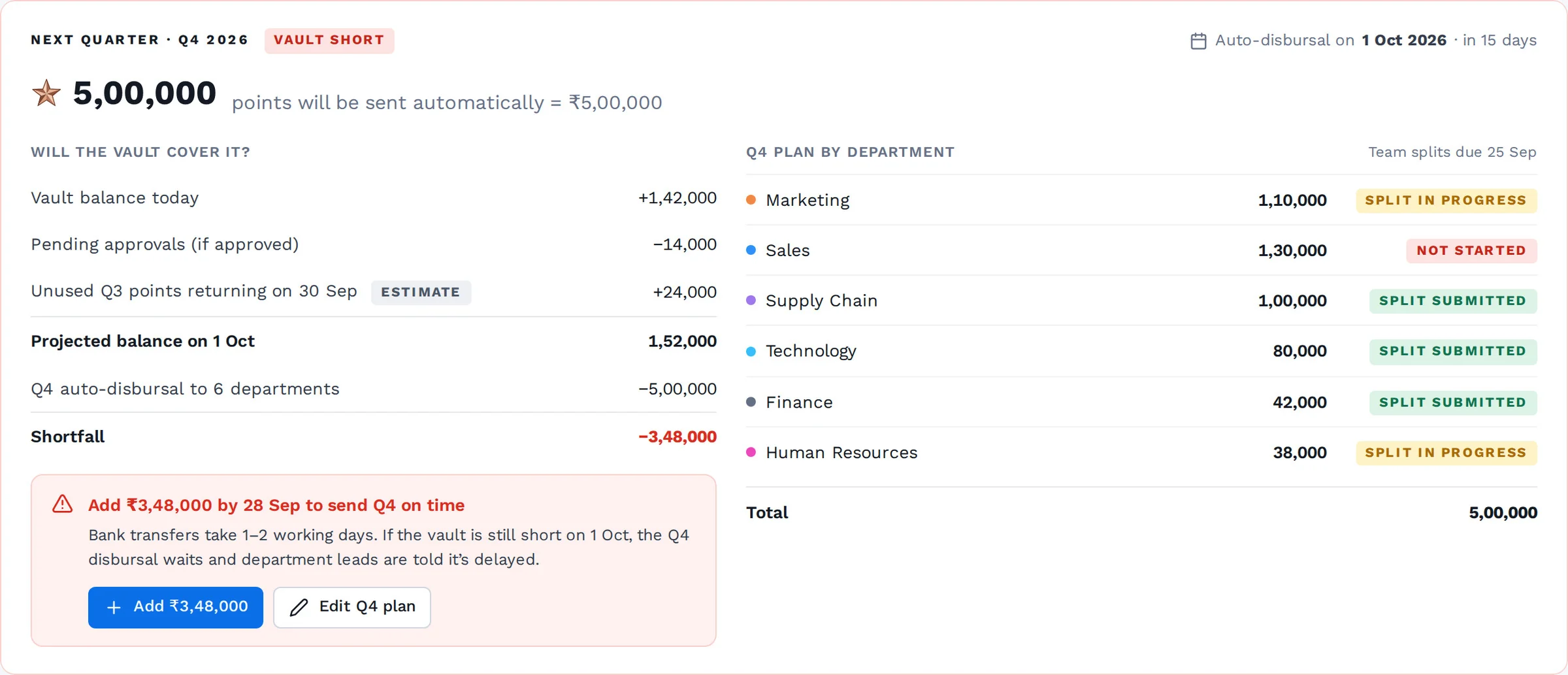
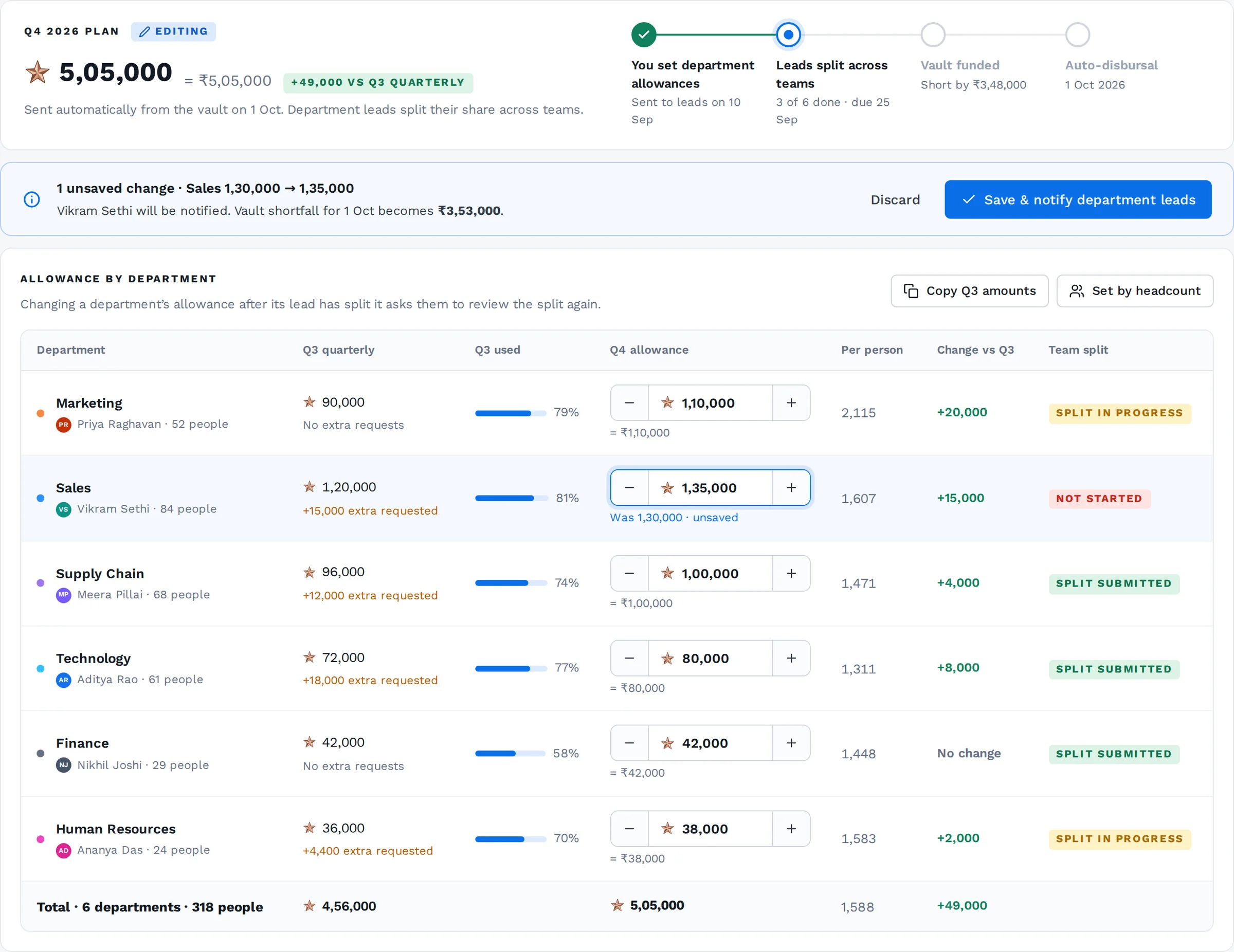
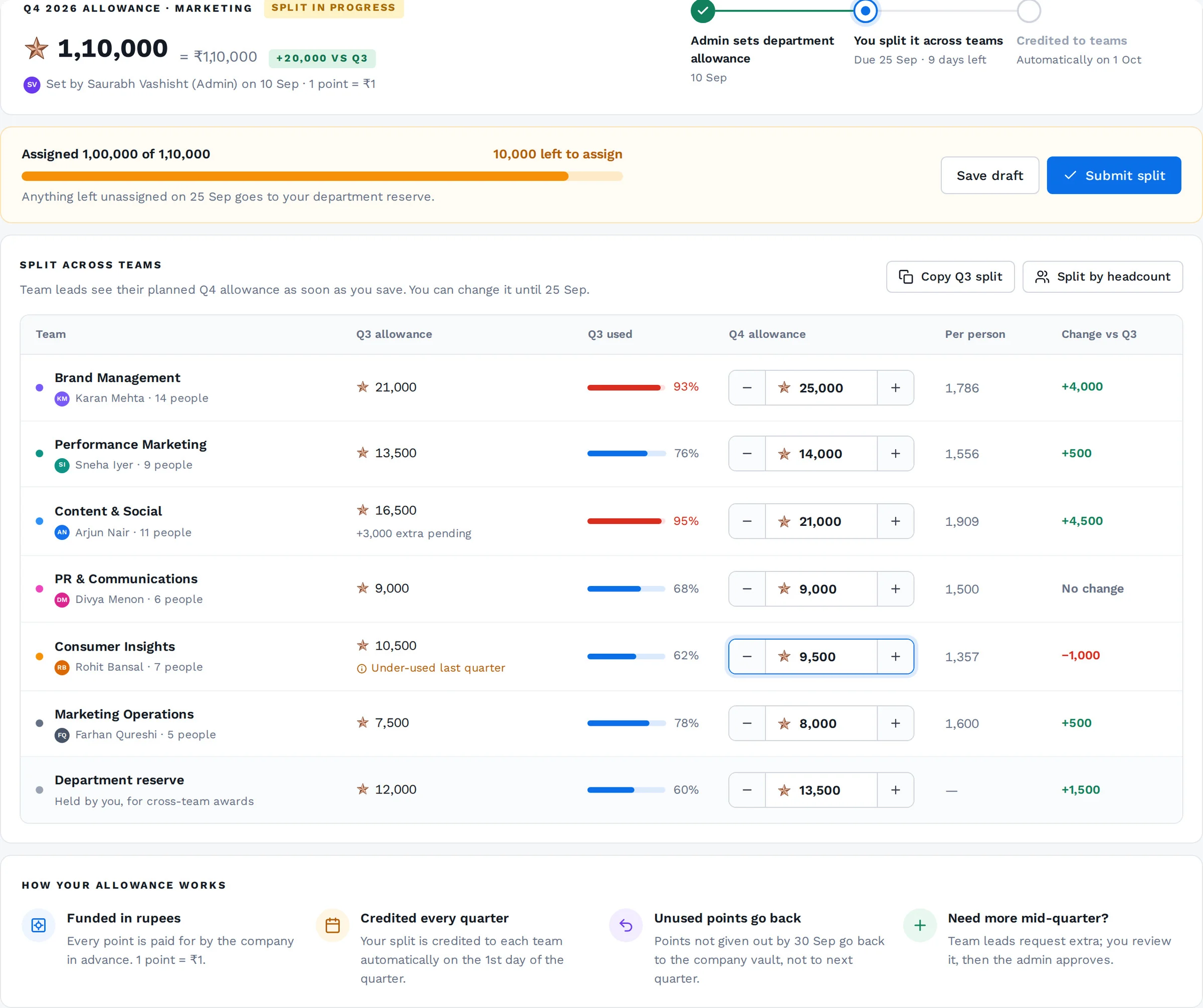
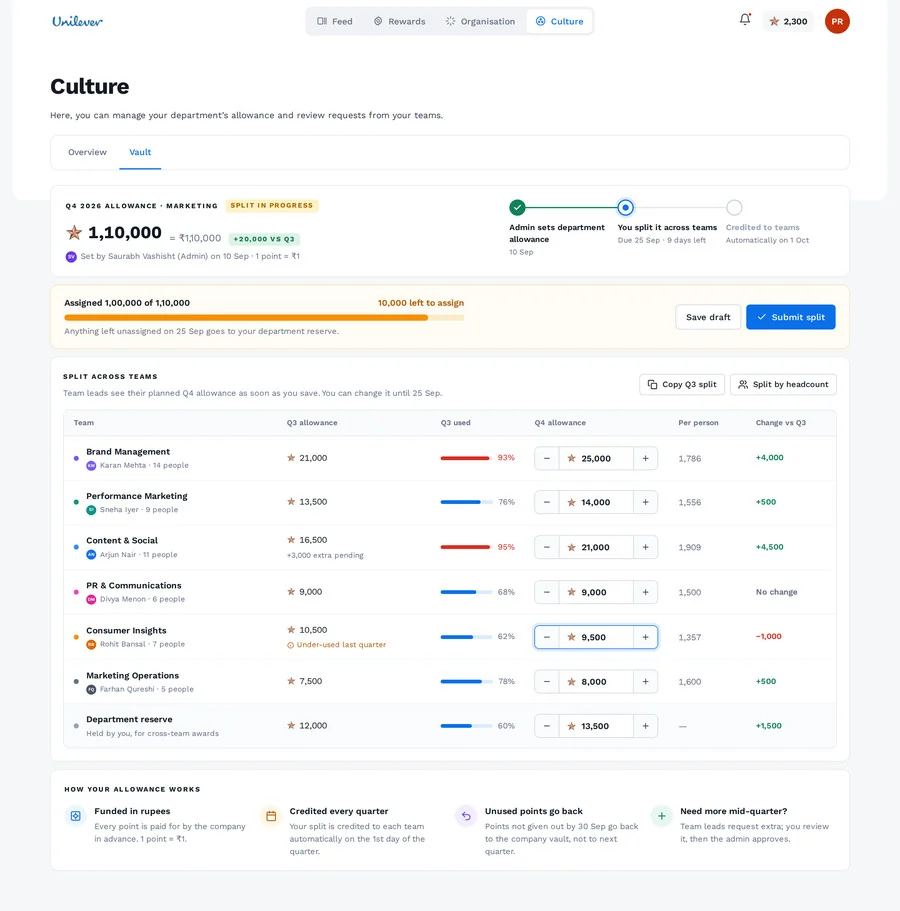
The admin sets each department’s allowance by 10 Sep. The department lead splits it across teams by 25 Sep, with per-person numbers and flags for teams that under-used last quarter. On 1 Oct it’s credited automatically, so leads stop requesting their regular allowance every quarter.
counted the same?
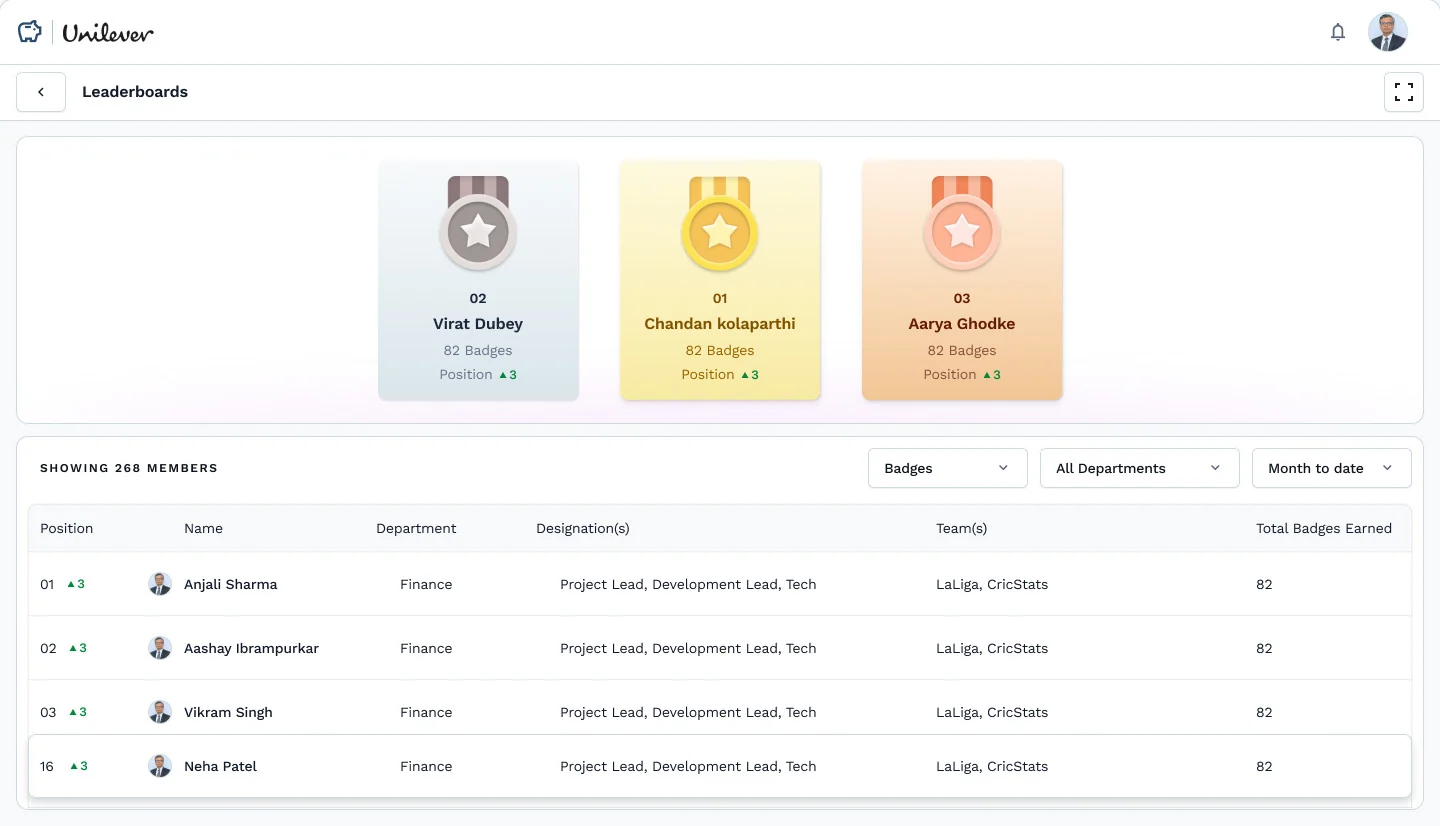
Real screen to come. No scoring model is shown or assumed.
The same thank-you, sent three ways from Slack. The current leaderboard ranks by badges earned, so only the badge counts, and it counts the same as any other badge.
Launched with wTVision. What HR managers said:
“Incentiwise completely changed how our managers give recognition. In three months, our eNPS jumped 18 points and voluntary attrition dropped noticeably.”
Human Resource · wTVision
“The reward marketplace is the piece our employees actually love. It removed the ‘generic gift voucher’ problem we’d struggled with for years.”
Human Resource · wTVision
“Rolling out Incentiwise across 1,200 employees took less than two weeks. The analytics dashboard alone has saved us hours of manual reporting every month.”
Human Resource · wTVision
Quoted as given. The outcomes are theirs; I haven’t measured them.
the whole machine.
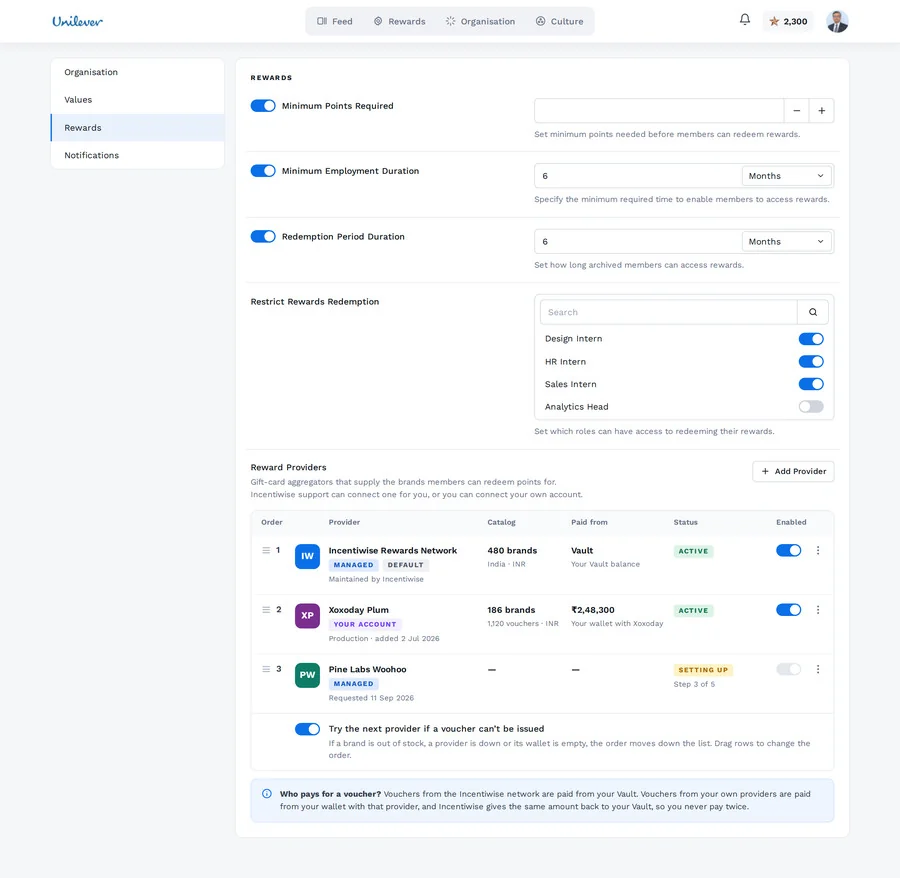
Employees + team leads + department leads + admins · recognition + badges + points + rewards + allowances + requests + the vault + permissions + Slack + providers + the ledger.
the system I had to understand.
Products ×
Systems
 Incentiwise